AI agents Zanus are automated voice systems that handle inbound and outbound calls, remember previous customer interactions, and write notes directly to your CRM without human intervention. They differ from traditional phone trees because they understand context, adapt responses based on caller history, and close loops by booking follow-ups or logging outcomes in real time.
The core appeal is mechanical: a prospect calls, the AI answers on the second ring, identifies the caller's need, checks the CRM for past conversations, and either resolves the issue or schedules a callback with a human. This cuts the labour cost of call handling while reducing the gap between "what the customer told us last time" and "what we're offering now." But the technology only works when the underlying data infrastructure is solid, and most businesses lack it.
How AI Agents Zanus Actually Handle Calls
When a call arrives, the system answers within 2 to 3 seconds. The AI listens to the caller's first statement, extracts intent in real time, and pulls the customer record from the CRM. If this person called three months ago about a refund, the AI knows. If they left a voicemail last week asking about delivery dates, the AI has context. This persistent AI context is what separates Zanus-type systems from basic IVR menus that ask you to press 1, press 2, and ignore everything you've said before.
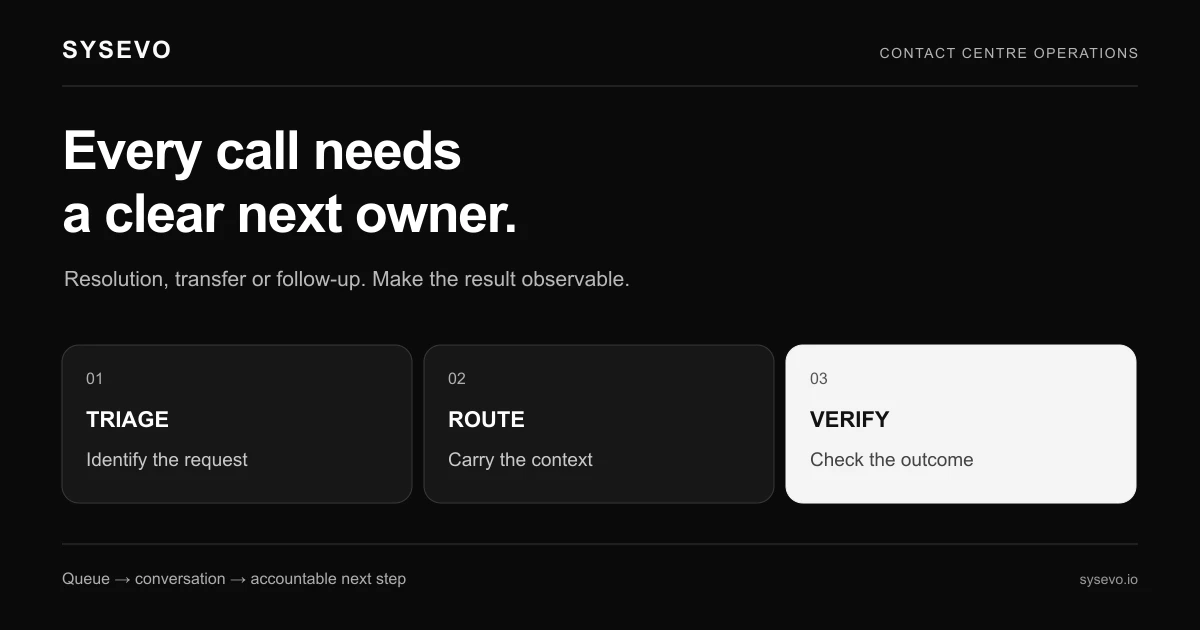
The agent then routes the call based on rules you set. For a simple query, it answers directly: "Yes, your order shipped Wednesday and arrived Friday. Is there anything else?" For complex cases, it notes the issue, asks qualifying questions, and transfers to a human with a summary already written in the CRM. The human picks up the phone knowing the full history without reading six previous tickets. The handoff saves 2 to 4 minutes per call on average.
If the caller agrees to a callback or a follow-up appointment, the system writes it to your calendar or CRM event log automatically. No agent has to transcribe a message later. This automation closes a real operational gap: in many businesses, customer memory lives in email, voicemail, and sticky notes, not in a searchable system. Zanus-type platforms centralise it.
The technology also handles after-hours calls when no human is available. A small business gets an inbound call at 10 PM. Instead of silence or a "call back tomorrow" message, the AI takes the call, asks what the customer needs, and either solves it or queues it for morning with full context attached. This captures leads that competitors miss because they do not answer.
Understanding Persistent AI Context and Customer Memory
Persistent AI context means the system does not treat every call as new. It pulls your customer database, reads past notes, checks order history, and adjusts its tone and offers based on what it learns. If you buy from a company, call back, and the agent says "I see you bought our premium plan last year, so this month's offer doesn't apply"; that's persistent context in action. It makes customers feel known without feeling spied on.
Customer memory AI goes further. The system learns not just from structured data (date of purchase, amount spent) but from unstructured conversation history. If a customer mentioned they have kids and prefer email over calls, the AI remembers that preference and acts on it in future interactions. Some platforms log this as metadata in the CRM so a human agent sees it too. Others store it only in the AI's conversation model, which limits consistency across channels.
The value compounds over time. A call centre with no memory wastes effort re-explaining policies to repeat callers. With persistent context, the ninth call from the same customer is faster and smarter because the AI reference previous outcomes. Industry benchmarks put the average call handling time savings at 30 to 45 seconds per call when context is available. For a business handling 100 calls a day, that's 50 to 75 minutes per day of labour recaptured, or roughly 200 to 300 hours per year.
However, this only works if your CRM and customer data are clean. If one customer is listed under three different email addresses, or if notes are written in unstructured fragments, the AI gets confused. It might look up the wrong record, offer a discount the customer already received, or miss a critical preference. The system is only as useful as the data feeding it.
AI Agents Zanus in Inbound Customer Service
Inbound calls are where most businesses feel the pain first. A small marketing agency gets 15 to 20 inbound calls per day from prospects, repeat clients, and vendors. Without an AI agent, one person answers the phone, manages email, and handles scheduling. Call volume spikes when campaigns go live, and the phone rings while that person is in a meeting or helping another customer. Calls go to voicemail, and callbacks happen hours later, if at all.
An AI agent answers every inbound call immediately. It qualifies the prospect ("Are you looking for a retainer or project work?"), logs their name and industry, and either books them into a calendar or transfers them to the right team member with context already attached. For repeat customers, it recognises them, asks if their issue is related to a previous project, and either resolves it or flags it as urgent. The business loses no leads to missed calls.
A plumbing business provides a concrete example. They get 30 to 40 inbound calls per day from customers with leaks, clogged drains, and emergency repairs. During peak seasons, half the calls go to voicemail. An AI agent answers all of them, asks the location and nature of the emergency, checks the technician schedule, and either books an appointment or puts the customer in a callback queue with a realistic wait time. The dispatcher still manages complex jobs, but routine appointments schedule without human time. Revenue increases because fewer calls are lost, and emergency calls are prioritised with AI personalisation based on urgency signals in the conversation.
The system also captures data competitors miss. Every inbound call is an opportunity to learn why someone called, what they asked for, and whether they converted. Without logging, that data disappears. With an AI agent, it's structured and searchable. Product teams can spot feature requests, support teams can predict common issues, and sales can refine messaging based on real customer language.
Outbound Calling and Lead Follow-up with Zanus
Outbound calling is where AI agents Zanus become a force multiplier. A sales team in a mid-size B2B company generates 200 leads per month from their website and LinkedIn. Following up on all of them is impossible with the current team, so 50 to 60 go untouched. An AI agent can call every one of them in a single evening, assess interest, and qualify them for human follow-up. This happens while the sales team sleeps.
The AI calls with a natural voice, introduces the company, explains a specific value prop based on the lead's industry (pulled from their LinkedIn profile or your database), and asks a qualifying question. If they show interest, the system books a callback with a salesperson. If they decline, it notes that and marks them for a re-call in six months. A human sales rep might spend 30 to 45 minutes per day just dialling numbers and leaving voicemails; the AI does 50 to 100 calls in that time.
Scale matters. An outbound campaign calling 300 prospects costs roughly £150 to £400 in AI time (depending on call duration and platform pricing) if all calls are handled by AI. Doing the same work with a human makes calls costs £800 to £1,200 in labour. The difference pays for the AI system within weeks if conversion rates stay even remotely consistent. Most operators report that AI-handled initial outreach captures 60 to 70 percent as many qualified leads as human outreach, which is often acceptable given the cost differential.
The real advantage emerges when AI personalisation kicks in. If your database includes previous conversations or transaction history, the AI tailors its opening pitch. "Hi Sarah, I saw you downloaded our ROI calculator last month" is more effective than a cold script. This level of customisation requires your database to feed the AI system, which brings you back to data quality. If you have 300 prospects but reliable contact information and engagement history for only 150, the campaign works well for half the list and poorly for the rest.
Integration with CRM and Data Flow
The entire value of an AI agent system depends on integration. When a call ends, the AI must write the outcome to your CRM automatically. No manual data entry. No delays. The call log, the transcript, the customer's stated need, the follow-up date, and the confidence score all land in the same record where your team works every day. If this integration breaks or lags, your team either re-enters data (defeating the purpose) or works with stale information.
Most AI voice platforms now offer built-in CRM or API connections to popular systems. Some, like Sysevo, include a built-in CRM so data never leaves the platform and integrations are automatic. Others connect via webhooks to Salesforce, HubSpot, or Pipedrive, which adds a layer of configuration and potential failure points. The closer the AI system is to your CRM, the less chance of data loss.
A real example: a customer support team uses a dedicated ticketing system and a separate CRM for sales. An AI agent answers an inbound support call, logs it to the ticket system, but the ticket never syncs to the CRM where sales looks for upsell opportunities. The customer's issue is resolved, but the sales team has no signal that they just had a support incident, which is often a moment when they're open to switching plans or adding features. The integration gap costs money and customer insight.
Data flow also affects reporting. If your AI system logs calls but doesn't connect to your analytics or business intelligence tools, you can't measure the real impact. You know the AI handled 500 calls, but you can't segment by outcome, customer segment, or time of day without manual export and cleanup. This blind spot makes it hard to optimise and hard to justify the expense to finance.
Setting Up AI Agent Memory Across Interactions
One call is not enough to build useful memory. A customer calls three times in a month for different reasons. The first call is about pricing. The second is a technical issue. The third is a refund request. Each time, the system should remember the previous calls and adjust accordingly. On call three, the AI knows this person is frustrated after two prior contacts and might prioritise a callback with a senior agent or proactively offer a credit. This is persistent AI context in practice.
Setting this up requires two things: rich call logging and smart retrieval. Every interaction must be captured with metadata (date, caller intent, outcome, any commitments made). When a new call arrives, the system must retrieve the relevant prior history, not just return a list of all previous calls. If a customer called six times, showing the AI the last two or three relevant interactions is more useful than dumping all six in its context window. This filtering is a feature some platforms offer; others do not.
Businesses often struggle with memory governance. How long do you keep call records? What if a customer asks to be forgotten (relevant under GDPR and similar regulations)? If the AI has been trained on conversations with thousands of customers, can you selectively remove one person's data without retraining the whole model? These are operational questions that don't have simple answers yet. Most platforms log calls in a searchable database but don't automatically purge old ones, creating a compliance risk if you're not careful.
The other practical question is context window size. Modern AI models have limits on how much conversation history they can hold in memory at once. Some systems can access 50 to 100 previous interactions; others cap out at 5 or 10. If your memory window is small, the AI might miss relevant history. If it's large, the system becomes slower and more expensive to run. Finding the right balance is an implementation detail that affects performance and cost.
Real-World Scenarios Where Zanus Agents Succeed
A mid-market SaaS company with 5,000 active customers and a support team of four people gets 150 support calls per week. The team can answer maybe 60 of them live; the rest go to voicemail. An AI agent answers all 150, logs the issue, and either resolves it (password reset, invoice lookup, billing question) or queues it for a human callback. This reduces the queue from 90 to 30 by end of day. The support team is no longer drowning, and customers wait half as long for a response.
A home services company (HVAC, plumbing, electrical) books appointments by phone. They get 40 calls per day, mostly around 7 AM and 6 PM when customers have emergency issues. A human receptionist can only juggle so many simultaneous calls. An AI agent answers every call, asks the problem and location, checks availability, and books if the technician is free. Bookings that would have gone to voicemail now close same-day. Revenue grows 15 to 20 percent without hiring more staff.
A B2B lead generation company runs campaigns that produce 500 to 1,000 leads per month. Human follow-up is expensive and slow. They deploy an AI agent to call leads within 24 hours of sign-up, qualify them based on company size and industry, and route hot prospects to sales. Cold leads get added to a nurture sequence for re-contact in three months. The company reaches 10 times more leads per dollar spent and closes 8 to 12 percent more deals because follow-up is immediate.
A medical practice with two receptionists answers appointment requests all day. They miss calls during lunch, after hours, and when both are on the phone. An AI agent answers after-hours calls, confirms appointment request details, and either books directly if the calendar is open or queues the request for morning confirmation. Patients stop calling back three times to book; the practice stops losing appointment requests. No-shows decrease because the AI sends confirmation texts two hours before the appointment.
When AI Agents Zanus May Not Be the Right Choice
AI agents are not universal. A business with fewer than 10 calls per day probably won't see ROI. The platform costs £100 to £300 per month minimum, and if you're only handling 200 calls monthly, the per-call cost is high relative to what a part-time person would charge. The economics tip in favour of AI when call volume exceeds 500 to 1,000 per month or when call handling is urgent and off-hours.
Highly regulated industries face friction. A financial services firm handling mortgages must document every interaction for compliance. An AI agent can make notes, but regulators want to know that every call was handled by a licensed person or under licensed supervision. Some jurisdictions allow AI to handle initial triage but require humans for decisions. Insurance companies face similar constraints. These businesses can use AI for intake, but not for claim decisions or policy changes, which limits the labour savings.
Complex consultative sales struggle too. If your typical sales call is 45 minutes and involves back-and-forth discovery, custom pricing, and relationship building, an AI agent can qualify and schedule but cannot close. It might save the sales team time by eliminating unqualified calls, but it won't replace the human conversation. Some vendors oversell AI's ability here. The technology shines at handling high-volume, lower-complexity interactions.
Finally, if your CRM and customer data are fragmented, dirty, or siloed, an AI agent will frustrate you. The system depends on accurate, up-to-date customer records. If you've never cleaned your database, don't have a single source of truth for customer contact info, or store critical context in email instead of a structured system, the AI will lookup wrong records or miss information. You have to fix your data infrastructure before the AI can be effective. This is usually a 4 to 8 week project before you even deploy the system.
Pricing, Costs, and ROI Considerations
AI agent pricing varies by model. Some platforms charge per minute of call time (£0.30 to £1.00 per minute depending on features). Others charge a flat monthly fee (£200 to £500) plus per-minute overage. A few offer usage-based pricing where you pay for minutes consumed without a base fee. Each model has trade-offs. Flat fees work if your call volume is predictable; per-minute pricing is cheaper if you have spikes and quiet periods.
A realistic cost example: a business expects 100 inbound calls per week, averaging 4 minutes each. That's 400 minutes per week, or 1,600 minutes per month. At £0.50 per minute, the cost is £800 per month. If the business would otherwise pay a part-time receptionist £2,000 to £2,500 per month, the AI saves £1,200 to £1,700 per month, or £14,400 to £20,400 per year. The system pays for itself in three to four weeks.
But the math requires some assumptions to hold. First, the AI must actually reduce labour cost, not add to it. If you still need a human because the AI hands off 50 percent of calls, you save only 50 percent of the receptionist's time, not all of it. Second, the AI must handle calls correctly. If it books wrong appointments, upsets customers, or loses leads, the savings erode or reverse. Third, implementation takes time and effort; you can't flip a switch and have the system work. Budget 2 to 4 weeks for setup, testing, and staff training.
The less obvious costs are platform switching and data migration. If you later want to change AI vendors, moving call history and customer context is labour-intensive. If the system stores data in a proprietary format, you might lose it. This is why platforms with built-in CRM or standard integrations are lower risk, your data is more portable. Proprietary systems are faster to deploy but harder to exit.
Voice Quality and Natural Conversation
The AI's voice matters more than many businesses realise. A robotic, slow voice makes customers hang up after two seconds. A natural-sounding voice with appropriate pacing, tone, and emotion keeps customers on the line and willing to engage. Modern AI voices (using large language models and neural synthesis) sound passably human for scripted interactions, though trained ears can still spot them as artificial.
The quality also depends on the conversation. Simple exchanges ("What's your account number?" "1234567." "Thank you") work fine with any voice. Complex exchanges ("Tell me about your issue") require the AI to interpret nuance, respond flexibly, and adjust tone. A customer who's frustrated needs a more apologetic, patient tone than one who's curious. Not all AI systems modulate this well. Budget for voice testing before you deploy; a poor voice will sabotage adoption.
Accent and dialect also matter. If your customer base includes people for whom English is a second language, the AI must understand accented speech without asking for repeat. Some systems handle this well; others struggle. This is a feature difference between platforms, so test with your actual customer base, not in a demo environment.
Another factor is response time. Modern AI agents respond within 1 to 2 seconds of the caller finishing their sentence. Older systems or those running on limited compute might pause for 3 to 5 seconds, which feels unnatural and frustrates customers. If the platform's latency is high, the calls will feel clunky even if the voice is excellent. This is a technical specification worth checking.
Security, Compliance, and Data Protection
Any system that handles customer calls and CRM data must meet compliance standards. GDPR in Europe, CCPA in California, HIPAA in healthcare, and PCI-DSS in payments are the main ones. An AI agent platform must log calls securely, encrypt data in transit and at rest, and allow customers to export or delete their data on request. Not all platforms meet all standards, and some meet a few but not thoroughly. Before signing a contract, ask for a security audit, a data processing agreement, and proof of compliance certifications.
Call recording has its own rules. Some jurisdictions require both parties to consent to recording; others require only one. An AI agent cannot explicitly ask for consent the way a human can; it just records by default. If the law requires both-party consent and your system records without asking, you're creating a legal liability. Some platforms handle this by asking the caller to press a key or say "yes" at the start of the call. Others work around it by using call interception (the AI listens but doesn't record). Know your local law before deploying.
Data retention is another pain point. How long do you keep call recordings and transcripts? In some jurisdictions, you must delete them after 90 days unless the customer consents to longer retention. Others have no specific requirement. If you delete call data after 90 days but the AI's memory still references those calls, you're storing context about data you no longer have. This is a gap that not all platforms handle cleanly.
The final compliance angle is vendor accountability. If the AI makes a mistake (misquotes a price, commits to a service the company can't deliver), who is liable? Is it the AI platform, your company, or shared? Most contracts push liability to the customer, which is why you need legal review before deploying in regulated industries.
Training, Customisation, and Ongoing Management
Out of the box, an AI agent is generic. It can answer simple questions and route calls, but it doesn't know your business, your pricing, your policies, or your tone. Training the system means feeding it documentation (product guides, pricing sheets, FAQs), call scripts or conversation starters, and examples of good outcomes. This takes 20 to 40 hours of work, usually split between a product specialist and someone from your business who knows operations.
Some platforms provide templates and pre-built industry models (e.g., for dental practices or plumbing companies) that cut training time to 8 to 10 hours. Others start from a blank slate. The quality of the training directly affects performance. An AI trained on old pricing sheets will quote prices no one uses anymore. One trained on vague FAQs will give vague answers. Good training requires current, specific documentation and regular updates.
After deployment, the system needs ongoing tuning. If customers are hanging up on certain types of questions, the AI's responses need adjustment. If it's booking appointments incorrectly, the business logic in the system needs fixing. Some platforms offer outbound campaigns management or voice customisation dashboards where you can edit responses directly. Others require vendor support to make changes, which slows iteration.
Monitoring is also ongoing work. You should check call transcripts weekly for patterns: Are callers asking questions the AI can't answer? Are they frustrated? Are they asking for a human transfer more than expected? If a new product launches, does the AI know about it? These checks prevent the system from drifting into outdated or unhelpful behaviour.
Comparing AI Voice Platforms and Choosing One
The market includes dozens of AI voice platforms, each with different strengths. Some focus on customer service and inbound calls. Others prioritise outbound campaigns. A few try to do both. Before evaluating, decide what your primary use case is. If you mainly need someone to answer the phone after hours, a lightweight system might suffice. If you need sophisticated customer memory and multi-channel integration, you need a more robust platform.
Key selection criteria include: voice quality (test with real callers, not in a demo), integration breadth (does it connect to your CRM?), ease of customisation (can you change responses without coding?), compliance certifications, pricing transparency, and support quality. Ask vendors for a pilot deployment on a small subset of your calls, not a full launch. This lets you measure actual impact on your workflow before committing.
A call with a specialist can help clarify what you need. Vendors differ in implementation speed, training depth, and ongoing support. A platform that deploys in two weeks but offers minimal training might be faster upfront but slower to get value. One that takes six weeks but includes comprehensive onboarding might be slower initially but higher-performing in the long run. The fit depends on your team's bandwidth and risk tolerance.
Also consider the vendor's roadmap. Are they building features you'll need in 12 months, or are they focusing on a narrow market segment? Do they have a clear pricing and feature roadmap, or do they change the product unexpectedly? Stability matters because switching platforms mid-deployment is expensive and disruptive.
Measuring Success and ROI Tracking
To know if an AI agent is working, you need baseline metrics before deployment. How many calls arrive per week? How many go unanswered? How long is the average handling time? What's the cost per call answered by your team? What's the customer satisfaction score? Measure these for at least four weeks before you turn on the AI.
After deployment, measure the same metrics. A successful implementation should show: increased calls answered (usually 90 percent or higher), reduced missed calls (ideally to near zero), faster handling time on simple queries, higher customer satisfaction due to faster response, and reduced labour cost. Industry benchmarks suggest an AI agent handling inbound calls saves 25 to 40 percent of receptionist time, depending on how many calls it can resolve without human help.
Also track the quality of handed-off calls. If the AI transfers a customer to a human, is the context passed along correctly? Does the human have to re-ask questions? Do they thank the AI for good notes? If handoffs are smooth, the real labour savings show up in shorter human handling times. If they're clunky, the savings disappear because humans spend time reading poor notes and re-gathering information.
Don't expect perfect success rates. Most deployments see the AI resolving 40 to 70 percent of calls completely (depending on query complexity) and handling initial intake or routing for the rest. This is still valuable because it eliminates low-value work, but it's not a replacement for humans in every case. Set realistic expectations up front or you'll feel disappointed even if the system is working as designed.
Future Capabilities and Evolution of AI Agents
The technology is improving quickly. Current systems handle voice well but struggle with complex multi-turn reasoning and with situations that require deep contextual knowledge. The next generation will get better at understanding implied needs (a customer mentions they're moving house; the AI infers they might need to update their address or change their service tier) and at handling angry or difficult customers without escalation.
Multimodal interaction is emerging too. Rather than voice-only, customers might chat, email, or text, and the AI maintains a consistent conversation across channels with the same memory and context. A customer starts a chat on the website, switches to a call, and the AI knows the full history. This requires deeper CRM integration and unified logging, which many platforms are building.
Industry-specific models are also evolving. Instead of generic AI, you might get an AI trained on thousands of healthcare, legal, or real estate conversations, with knowledge baked in. These will be faster to implement and less reliant on extensive custom training. But they'll also be more expensive and less flexible if your business has unique needs.
The honest caveat: these improvements are 6 to 18 months away for most vendors, not here today. Don't buy based on a roadmap; buy based on current capability. If a vendor promises features that aren't live, test them in a pilot before you commit fully. Vaporware is common in this space.
Getting Started with AI Voice Agents
If you're considering an AI agent, start with a clear problem statement. "We miss 30 percent of inbound calls" is a clear problem. "We want to sound more modern" is not. Solve the problem, not the feeling. Next, audit your CRM and customer data. If it's a mess, clean it before you deploy the AI. The AI will only be as good as the information it can access.
Then run a small pilot. Pick one team or one use case (e.g., after-hours inbound calls only) and deploy the AI there. Measure for 4 to 8 weeks. If it works, expand. If it doesn't, understand why before trying system-wide deployment. Most successful implementations start small and grow; most failures start big and disappoint.
Budget for implementation: platform costs, training hours, CRM integration work, and ongoing support. A small business might spend £5,000 to £10,000 in the first month; a mid-market company might spend £15,000 to £25,000. These are not one-time costs; they include ongoing platform fees, maintenance, and optimisation. Know the total cost of ownership, not just the platform fee.
Finally, involve your team from the start. If your customer service agents feel threatened by AI, they'll give you biased feedback or resist using the system. If they feel heard and involved in the design, they'll help you optimise it. The best deployments treat AI as a tool that makes the team's work easier, not as a replacement for the team itself.
Frequently Asked Questions
How does an AI agent remember previous calls without constant retraining?
The AI doesn't need retraining to access past calls. It logs conversations to a searchable database (usually in the CRM) and retrieves relevant prior interactions when a customer calls again. The AI reads the history within its context window and adjusts its responses. This is retrieval-based memory, not training-based.
Can an AI agent handle calls in multiple languages?
Most modern systems support multiple languages, but quality varies. Simple scripted conversations work well. Complex or accented speech is harder. Test with your customer base, not in a demo. Some platforms offer better multilingual support than others.
What happens if the AI makes a mistake, like booking a wrong appointment?
The mistake lands in your calendar or CRM as a logged call. You catch it when you review the booking, or the customer notices and calls back. To reduce errors, script the AI's confirmation steps clearly ("I'm booking you for Thursday at 2 PM. Did I get that right?") and review transcripts regularly for patterns of mistakes.
How long does it take to deploy an AI agent from contract to live?
Simple deployments take 2 to 4 weeks. Complex ones with CRM integration and heavy customisation take 6 to 12 weeks. The platform is usually live in days, but training, testing, and staff adoption take longer.
Do I need to change my CRM or phone system to use an AI agent?
Not necessarily. Most AI platforms integrate with major CRM systems via API. Some work with any phone system that supports SIP or standard VoIP. Check compatibility with your vendor before buying. If you have a legacy system, you might need a bridge or adapter.
What's the difference between an AI agent and a traditional interactive voice response (IVR) system?
An IVR asks you to press buttons and follows rigid trees. An AI agent understands natural speech, remembers context, and adapts. IVR is older, cheaper, and less flexible. AI is more sophisticated, more expensive, and more able to handle real conversations.