Contact center AI zanus refers to intelligent voice platforms that answer calls, capture caller intent, and write information directly into your CRM without human intervention. They sit between your phone line and your sales or support team, handling the repetitive work of call intake so your people handle only conversations that need judgment or relationship-building.
The immediate question most operations leads ask is whether this saves money or just adds complexity. The answer depends on your call volume, your team's current handling time, and how many calls end with "we'll call you back." If you're losing calls to voicemail or spending 15 minutes per call on data entry, contact center AI zanus systems address both problems at once.
How Contact Center AI Zanus Actually Works
A call arrives. Your phone system routes it to the AI voice agent instead of a queue. The agent answers on the second ring, asks open questions ("What brings you in today?"), and listens for the caller's need. Real-time speech recognition converts the call to text, and a language model decides whether this is a scheduling request, a support issue, a sales inquiry, or something the team needs to hear. The entire intake usually takes 90 to 120 seconds.
While the caller speaks, the system pulls relevant context from your CRM. If this is a returning customer, the agent mentions their last interaction or current account status. It sounds like a human assistant has reviewed their file. What actually happened is the platform looked up their phone number in your database and surfaced the relevant details in microseconds. The caller experiences continuity; your team avoids saying "let me look that up."
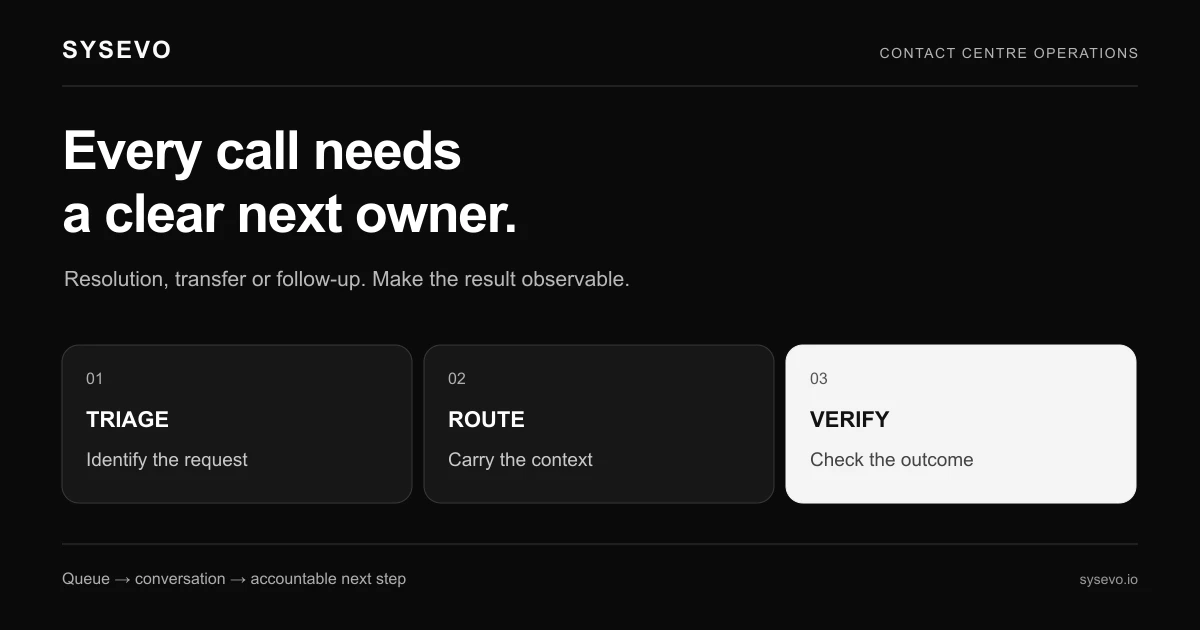
At the end of the call, the AI either completes the task (booking an appointment, updating a support ticket, logging a callback request) or transfers to a human. If it transfers, the incoming team member sees a structured summary: caller name, reason, key details, and any sensitive notes the AI flagged. Most platforms then log this entire interaction in your CRM automatically, so there is no second data entry step. The record exists before your team member even picks up the phone.
Contact Center AI Zanus and Integration Requirements
The technology only works if it can read and write to your existing tools. Most contact center AI zanus systems connect to major CRM platforms using APIs. They ingest your contact database, write new entries, update existing records, and create tasks for your team. If your CRM is a mainstream product (Salesforce, HubSpot, Pipedrive, or similar), integration is usually available and straightforward. Your IT or operations team provisions API credentials, and the platform handles the rest.
Legacy or custom systems are where this breaks down. If your business runs on a proprietary database or an older system without published APIs, the platform may not connect. Some vendors offer manual workarounds (exporting data files nightly, importing results), but this defeats much of the purpose. Before evaluating any AI call handling software, audit your current stack and confirm the vendor's integration list. Check their documentation, not their sales team's promises.
Phone integration varies by your current setup. If you use a cloud PBX (like Twilio, Ring Central, or similar), connection is usually plug-and-play. If you run a traditional on-premises system, you may need additional hardware or a transition to cloud telephony. Some businesses discover that switching to a modern phone system is more expensive than they budgeted, which offsets some of the AI platform's savings.
Common Use Cases and Real Numbers
A dental practice with three operatories and one part-time receptionist receives 40 to 60 calls per day. Half are appointment requests; the rest are cancellations, rescheduling, or questions about treatment costs. Today, the receptionist handles all of them, meaning she is often on the phone when a patient walks in. She also spends 10 to 15 minutes after closing transferring handwritten notes into the practice management system. An AI voice agent answers 30 to 40 of those calls, confirms insurance details, books appointments directly into the system, and logs the interaction. The receptionist now manages walk-ins and complex cases; she spends 30 minutes per week on data entry instead of 90. Her time gains value. The practice closes no fewer calls.
A mid-market B2B SaaS company handles inbound support calls from customers reporting system outages or integration issues. Tier-1 support staff spend their day explaining basic troubleshooting steps to customers who never read the documentation. The company fields 200 calls per day; 60% are repetitive. Deploying an AI call handling system for after-hours and overflow reduces tier-1 queue depth by 40%, freeing two full-time support staff to work on deeper technical issues. The company no longer pays overtime during peak times. Annual savings run to roughly £80,000 to £120,000 in labour costs, though the platform costs £2,000 to £4,000 per month depending on call volume and features.
A home services contractor (plumbing, HVAC) takes emergency calls 24 hours. Most after-hours calls are from customers checking if they can wait until morning or asking whether their issue qualifies for emergency rates. An AI agent qualifies the call, captures location and symptoms, alerts the on-call technician, and sends the customer a confirmation SMS with the estimated arrival window. The technician arrives with full context and the customer's availability already confirmed. Job completion time improves by an average of 12%, and customer satisfaction scores increase because the caller feels heard immediately rather than left on hold or in voicemail limbo.
Cost Structure and Hidden Variables
Pricing for AI contact centre platforms typically falls into three buckets: per-minute usage, per-call pricing, or flat monthly fees based on expected volume. A platform charging £0.50 per minute of agent time handles a 300-minute month (50 calls at 6 minutes each) for £150. Scale to 10,000 minutes per month and the cost rises to £5,000. Flat fees of £2,000 per month are cheaper if you run high volume but expensive if you only need 500 minutes. Some vendors offer tiered pricing: £0,000 per month for up to 5,000 minutes, £3,500 for up to 15,000 minutes. Your actual cost depends entirely on your call duration and frequency, not on a vendor's default.
Implementation costs are separate. Setup, testing, CRM integration, phone system migration, and staff training often run £3,000 to £8,000 in the first month. If you need custom scripts, industry-specific workflows, or integration with a bespoke system, add another £5,000 to £15,000. Factoring these into the payback period matters: a £5,000 setup cost and £2,500 monthly fees represent a 12,000 investment by month three. If you save one FTE at £30,000 annually, payback takes five months. If you only eliminate 10 hours per week of administrative time (not a full salary), payback takes longer and the business case weakens.
Indirect costs appear during deployment. Your team loses productivity while learning the system. Call quality suffers for the first two weeks as the AI fine-tunes its responses based on your specific business jargon and transfer criteria. Some inbound leads are mishandled because the AI misunderstood the caller's intent. A few customers call back frustrated that they didn't reach a human. These are temporary, but they are real and should factor into your timeline expectations. Most deployments reach stable performance within 30 days; some take 60 days if your call patterns are complex.
When Contact Center AI Zanus Is Not the Right Fit
If your average call handle time is under three minutes and your team's utilisation is below 70%, an AI agent may not pay for itself. The savings come from deflecting repetitive calls or completing them end-to-end; if your calls are already short and your people are idle, the platform adds cost without benefit. Similarly, if your business model depends on building rapport on first contact (luxury consulting, high-ticket sales, bespoke services), an AI agent can damage the customer experience. A hedge fund client calling for advice does not want to explain their situation twice (once to the AI, once to the human). That's friction, not efficiency.
Industries with complex compliance requirements may find the technology too risky. Financial services, healthcare, and legal firms often cannot route sensitive calls through third-party cloud infrastructure without regulatory approval. Audit your compliance obligations before shortlisting vendors. Some platforms offer private-cloud or on-premises deployments that satisfy these requirements, but they cost significantly more. A platform costing £2,500 per month on shared cloud may cost £8,000 per month running on your own infrastructure.
Small teams with highly variable call types struggle with AI implementation. If no two calls follow the same pattern, the AI spends most of its time saying "I don't understand" and transferring to humans. In this scenario, you're paying for a system that deflects almost nothing. The platform works best when 40% to 60% of calls follow predictable patterns (scheduling, account lookup, payment collection, basic support). If your calls defy categorisation, delay this purchase until your business scales and call patterns stabilise.
Integration With Your Existing Workflow
The strongest implementations treat the AI as a built-in CRM front door, not a separate tool. Call data flows automatically into your existing system, and your team sees the AI's output within their normal workflow. If your support team uses Slack, email, or a ticketing system, the AI should write into that channel automatically. Your team should never need to log into a separate AI dashboard to see what calls came in. This integration point often determines adoption success or failure. A team that must alt-tab between three systems uses the AI inconsistently; a team that sees AI interactions appear in their usual interface embraces the system.
Transfer logic is another critical integration layer. When the AI decides a call needs a human, who gets it? The platform should route to the next available agent with the right skills, not just the first person who answers. If your business has geographically dispersed teams or specialised support roles, configuration matters. A platform that can't route to a specific person or team will create bottlenecks despite automating intake. Test transfer logic thoroughly before deployment using realistic call scenarios.
Quality assurance is easier with integrated systems. Most platforms let you listen to recorded calls and rate the AI's performance. If that interface lives in your CRM or ticketing system rather than a separate portal, team leads review quality as part of their normal work. Without this integration, quality review becomes a separate task that falls off the priority list. Choose a platform that makes monitoring natural, not an extra obligation.
Scalability and Long-Term Performance
AI voice performance degrades predictably as call volume and complexity increase. Most platforms handle 500 to 1,000 calls per day without noticeable latency. At 5,000 calls per day, you should expect occasional slowdowns, misheard audio, or slightly longer response times. At 10,000 calls per day, performance issues become consistent. This is not a platform defect; it's an infrastructure limit. Before buying, confirm the vendor's tested volume ceiling and request references from customers running at your expected volume. A platform that handles 2,000 calls per day may need architectural changes to handle 20,000.
Call quality also depends on audio input. Noisy environments (kitchens, warehouses, construction sites) increase misrecognition rates. Background noise, accents, technical jargon, and speaking speed all affect accuracy. Most platforms train on standard English and perform less reliably with regional accents or non-native speakers. If your customer base includes significant numbers of callers with thick accents or industry-specific terminology, test the platform with real recordings before committing. A generic demo call does not reveal real-world performance.
Scalability also means handling growth without re-implementation. If your business adds 50 new customer locations or launches a new product line that attracts a different call type, can the platform adapt? Some systems allow you to add new outbound campaigns or inbound flows without engineering involvement. Others require professional services for every workflow change. The cheaper platform at signup may become expensive at scale if flexibility requires vendor support.
Evaluating Vendors and Avoiding Overcommitment
Request a pilot before full deployment. Most vendors offer a 30-day or 90-day trial on limited call volume. Use this time to test integration with your CRM, evaluate call quality, and measure actual deflection rates. Do not trust vendor-provided deflection numbers; measure your own. Run the pilot in parallel with your human intake team. Compare first-call resolution rates, customer satisfaction, and the number of incorrect transfers. After 30 days, you will know whether the technology works for your specific business.
During the pilot, assign one team member to monitor and provide feedback. Do not treat it as a fire-and-forget experiment. The AI's performance improves when your team regularly reports misheard requests, failed transfers, or calls that should have been deflected but were not. Without active feedback, the pilot teaches you nothing about the platform's real potential. The feedback loop is where value emerges.
Negotiate contract terms carefully. Many vendors require 12-month or 24-month commitments with penalty clauses if you exit early. If the pilot shows weak results, you may be stuck paying for a system you do not use. Push for a 6-month pilot agreement with the right to exit with 30 days' notice if deflection targets are not met. Document those targets in writing before signing. "We expect 40% call deflection" is a meaningful commitment; "the platform reduces call load" is not.
Frequently Asked Questions
Can an AI voice agent handle my most complex customer calls?
No. AI agents excel at predictable, structured calls (scheduling, lookups, basic troubleshooting). Complex negotiations, complaints, or situations requiring judgment transfer to humans. The platform's value lies in filtering so your team only handles calls that genuinely need human attention, not in replacing humans entirely.
How quickly can we deploy a contact center AI zanus system?
Basic deployment with standard CRM integration takes 2 to 4 weeks. Custom workflows, legacy system integration, or compliance requirements extend this to 6 to 12 weeks. Realistic performance stabilisation takes an additional 2 to 4 weeks after go-live as the AI learns your business.
What happens if the AI misunderstands a caller and completes the wrong task?
Most platforms log all interactions and allow manual reversal. Your team can undo incorrect bookings, refund failed payments, or re-assign misrouted requests. The volume of errors should decrease over time as the AI learns your patterns, but errors never reach zero. This is why parallel operation during rollout matters.
Do we need to replace our current phone system to use AI call handling software?
Not necessarily. If your phone system has API access or supports SIP trunking, the AI platform can integrate. Modern cloud PBXes integrate seamlessly; legacy systems may need additional hardware or a gradual migration. Clarify this with your IT team before evaluating platforms.
How do we measure whether the AI is actually saving money?
Track baseline metrics before deployment: average calls per day, calls handled per FTE, average handle time, percentage of calls ending in "call back." After 60 days of live operation, compare the same metrics. True savings emerge as reduced handle time per call, fewer abandoned calls, or lower overtime costs. Do not rely on vendor deflection claims; measure your own.
Can we use the same AI platform across multiple business locations?
Yes, most platforms support multi-location deployments with centralised management. Calls from each location route to the appropriate local team or shared support centre. Pricing usually scales with total call volume across all locations, making it economical for franchise or regional businesses. Ensure the vendor's infrastructure can handle geographically distributed teams before committing.
What data security and compliance issues should we consider?
The AI platform processes caller phone numbers, names, and often sensitive details (health information, financial account numbers, order history). Confirm the vendor's encryption practices, data residency, and compliance certifications (ISO 27001, SOC 2, GDPR if EU-based customers). Request their security audit reports and data processing agreement before signing. Financial or healthcare businesses must verify regulatory approval explicitly.
Ready to evaluate whether AI voice agents make sense for your operation? Schedule a call with our team to walk through a pilot tailored to your call volume and industry. We will show you exactly how the technology works with your existing systems and provide realistic cost and timeline expectations for your specific scenario.