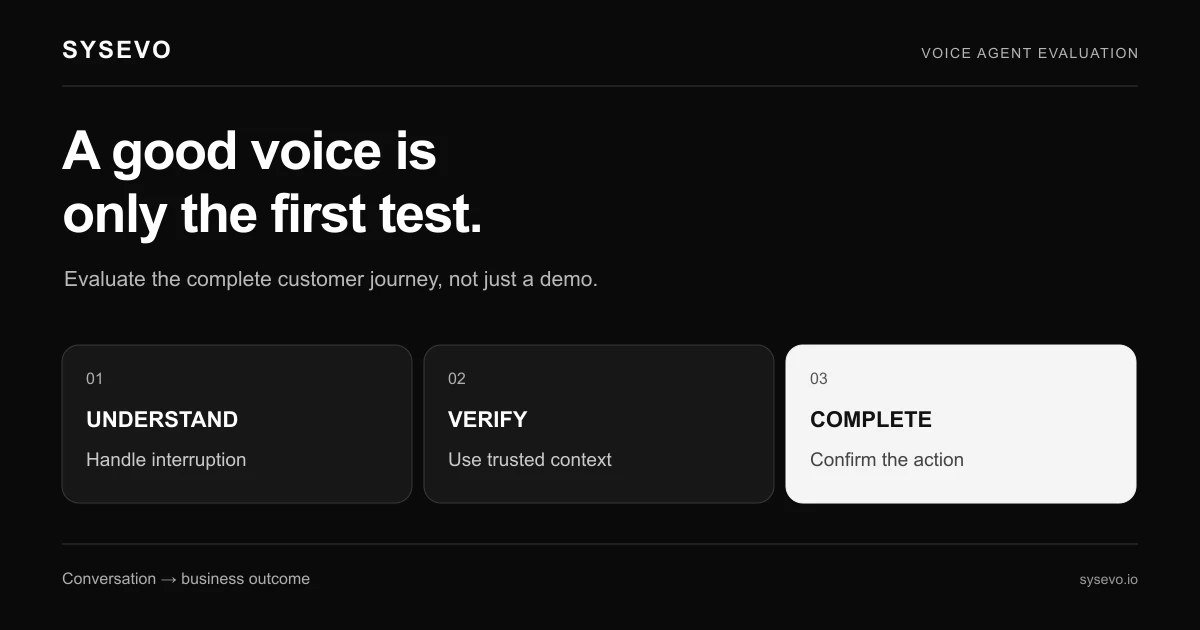
If you are evaluating an AI phone agent like Zanus, you need to understand what the technology actually does, where it works well, and the specific gaps that will affect your business. This guide explains the mechanics, shows you how to run due diligence, and covers where the technology struggles.
An AI phone agent is a voice system that answers incoming calls, listens to the caller's reason for calling, and either handles the request directly or routes it to a human handler while capturing the details. Unlike a voicemail, it engages in real conversation. Unlike a human receptionist, it costs a fraction as much to run and never misses a call. The trade-off is precision: it works best for predictable call types and fails silently on edge cases that a human would catch immediately.
How AI Phone Agents Work Mechanically
A call arrives and the system picks up on the second ring. The agent plays a greeting, listens to the caller speak, and processes that audio through a speech-to-text engine and a language model in parallel. Within two to three seconds, it has identified intent: "This is a booking inquiry" or "This is a support escalation" or "This is a price question." From there, the system branches. If it has been trained to handle bookings, it asks clarifying questions, checks availability, and confirms the appointment. The caller hears natural follow-up speech, not a rigid menu. If it cannot handle the call, it transfers to a queue and writes a transcript plus extracted data (name, phone, reason, priority) into your CRM or ticketing system.
The speed matters. A human receptionist takes 30 to 60 seconds to understand a caller's intent, write it down, and route it. An AI agent does this in under five seconds, and does it identically every single time. This eliminates the transcription gap: no more "the caller said Tuesday but the notes say Thursday." The data goes straight into your system of record. For a dental practice fielding 40 calls a day, this means 20 to 30 minutes of manual admin disappears.
The system runs on a predictable cost model. Most vendors charge per minute of call time or per call handled, with monthly minimums ranging from £50 to £300. A business fielding 100 inbound calls per month at an average length of four minutes would pay roughly £40 to £80 monthly in call charges alone, plus the platform fee. That stays competitive even if only 60% of calls are handled without human escalation. The math breaks in your favour once call volume exceeds 50 inbound calls per month.
AI Phone Agent Zanus: Understanding Your Options
Zanus is one of several vendors in this space, competing alongside platforms that range from white-label API providers to all-in-one solutions. When evaluating any vendor, including Zanus, the decision should rest on capability fit, not brand familiarity. This article is independent and not affiliated with Zanus. Check Zanus's own pricing page and documentation for current feature details, because capability and pricing shift frequently across the industry.
The core question is not whether a vendor is good, but whether its specific combination of features matches your workflow. Some platforms excel at routing and CRM integration but struggle with natural conversation on edge cases. Others handle complex multi-step workflows but charge premiums for setup customization. Zanus may be strong in some areas and weak in others; your due diligence determines which. Compare at least three vendors side by side using the evaluation framework in this guide.
Start with the vendor's public documentation. Most publish integration lists, security certifications, and pricing tiers openly. If Zanus publishes these, review them carefully. If any detail is missing, that is a red flag worth raising during a trial. The vendor should be able to answer in writing: what data formats does it accept from your existing systems, where does call recording live, and what happens if the service goes down mid-call.
Setting Up Your Evaluation Process
Before speaking to a vendor, define your call types. Write down the three to five most common reasons people call you. For a medical practice: appointment booking, prescription refills, billing inquiries, and cancellations. For a trades business: quote requests, job status checks, and emergency callbacks. Rate each by complexity (can a rules-based system handle this?) and by volume (how many calls per month?). This profile determines which vendor's strengths matter to you.
Next, establish your current cost baseline. If you employ a part-time receptionist at £12 per hour for 15 hours per week, that is £9,360 per year in salary alone, plus employer costs and training time. An AI agent handling even 60% of those calls reduces that to £3,744 annually plus platform fees. If the AI platform costs £200 per month, your break-even point is under two months. This math should drive your trial length: if you cannot show ROI in four to six weeks, the vendor is not a fit.
Request a trial from at least two vendors. Most offer 30 days free with call limits (typically 50 to 100 calls) or a short paid trial at reduced rates. During this period, do not send your best scenarios; send your most difficult ones. If your calls vary wildly between simple and complex, the system needs to prove it handles that mix. Route real inbound calls through the system in parallel with your existing process. Measure the time saved per call, the accuracy of data capture, and the rate at which calls escalate to a human unnecessarily.
Critical Questions to Ask Vendors in Writing
Security and data handling are non-negotiable. Ask which vendors hold SOC 2 Type II certification, whether call recordings are encrypted in transit and at rest, and where data lives geographically. If you operate in the EU and handle personal data, GDPR compliance is mandatory, not optional. The vendor should be able to name their data processor and confirm data processing agreements are available. Write these questions directly in an email and keep the responses on file; this creates accountability.
Integration capability often breaks projects. Ask whether the vendor's API supports real-time two-way sync with your CRM, or only one-way data pushes at the end of a call. One-way means you cannot look up a customer record during the call to personalise the greeting or check their account balance. Real-time sync is harder to build but transforms the experience. Ask for the integration documentation directly; if it is vague or incomplete, the vendor has not fully tested it with your system.
Escalation handling is where most AI agents disappoint in practice. Ask how the system decides to transfer a call to a human. Does it have a confidence threshold (transfer if intent score below 60%)? Can you set custom transfer logic per call type? What happens if a human is unavailable: does the system queue the call, leave a voicemail, or both? If it only offers voicemail, you have not actually reduced missed calls, you have just made them faster to miss. Some platforms now offer built-in CRM integration that lets the agent check live agent availability before transferring, which eliminates cold transfers where the caller waits 15 seconds in silence.
Testing the System: What to Measure
During your trial, track four specific metrics. First, call completion rate: what percentage of calls were handled to completion without human escalation? Industry benchmarks put this between 40% and 75% depending on call complexity. Anything below 40% suggests the system is not trained well for your use case. Second, first-call resolution time: how long did the system spend on the call? If it averages 90 seconds per booking call compared to your receptionist's five minutes, that is a four-minute saving per call. Over 400 calls per month, that is 26 hours recovered.
Third, data accuracy. Export a sample of call transcripts and extracted data, and spot-check them against what actually happened. Did the system capture the correct phone number? Did it identify the right service category? If accuracy falls below 85%, investigate why before committing. Sometimes poor accuracy is fixable with better training; sometimes it reflects the system's fundamental limits on your call types. Fourth, escalation quality. When the system transfers a call, do your staff receive actionable information, or a garbled transcript? Test this directly: call in yourself, trigger an escalation, and see what the human agent receives.
Run A/B testing on messaging. Call the system with different phrasings of the same request and see how it responds. If it handles "I need to book an appointment" perfectly but misunderstands "I want to schedule a visit," that is a training gap you can fix. If it misunderstands both, the underlying model may not suit your context. Push the system to its limits during trial. If it fails during trial on something predictable, it will fail worse in production when you have no fallback.
Where AI Phone Agents Fall Short
The technology has real blind spots that matter before you commit. Handling accent variation and background noise remains difficult; a caller in a noisy car or non-native English speaker can confuse even the best systems. If your customer base includes either, test extensively before deploying. Most systems also struggle with rapid topic switches: "I want to book an appointment, but first let me ask about your pricing policy." A human receptionist handles this naturally; many AI agents get confused and restart.
Emotional intelligence is absent. If a caller is angry or distressed, a human picks this up and adapts. An AI agent processes the literal words and may sound robotic in response, which escalates the interaction. This is not a flaw you can fix with better training; it is a category limit. For businesses where caller emotion matters (complaints, medical advice, urgent support), an AI agent should screen and escalate quickly rather than attempt to resolve.
Customisation has hard ceilings. If your business logic is straightforward (bookings, cancellations, status checks), vendors can usually build it. If you need complex conditional routing ("If the appointment is for Dr. Smith and it is a follow-up, check the notes file first"), you hit the customisation paywall. Some vendors charge £2,000 to £5,000 for complex setup. This cost does not always come down after deployment, so clarify what future changes cost before signing.
Sysevo's Approach to AI Phone Agents
Sysevo offers AI voice agents that integrate directly with a built-in CRM, which eliminates the manual handoff most platforms still require. When a call ends, the data is already written to your customer record. Caller history syncs in real-time, so the agent can personalise greetings ("Hi Sarah, I see you were with us two weeks ago for a service appointment"). This reduces repetition and improves caller experience measurably. Setup typically takes one to two weeks, much faster than platforms that require separate CRM connectors.
Pricing is usage-based: you pay for minutes of agent time plus a fixed platform fee. Explore current pricing here, but expect costs to sit between similar platforms in the market. Sysevo supports outbound calling as well, which adds reach beyond inbound handling; you can run reminder campaigns or follow-ups from the same agent without retraining. Caller memory persists across conversations, so if someone calls twice in a month, the agent knows what was discussed last time.
The realistic limits: Sysevo is not ideal if your call types are so varied or complex that a single set of rules cannot handle them, or if you require extensive custom workflows before launch. If your needs are standard (bookings, support routing, appointment reminders), implementation is straightforward. If you need a platform that handles 80% of calls on day one with minimal setup, this works. If you need 95% automation coverage for highly complex logic, you are probably looking at a longer, costlier implementation regardless of vendor.
Making the Final Decision
After your trial, create a comparison spreadsheet. Row one: call completion rate across your test call set. Row two: setup cost and time to production. Row three: per-minute rate and minimum monthly commitment. Row four: CRM integration depth (one-way or real-time). Row five: escalation workflow quality. Assign rough weights based on what matters most to your business (a bookings-heavy business weights completion rate higher; a support business weights escalation quality higher).
The vendor with the highest total is not always the right choice. Sysevo might score 8.5 overall but beat all competitors on CRM integration, which is your biggest pain point. A cheaper alternative might score 7.5 but require £3,000 in custom setup, making it more expensive over 18 months. Factor in non-metric factors too: vendor responsiveness during trial, quality of onboarding documentation, and whether support is reactive or proactive.
Set a pilot success metric before you launch. Example: "We will deploy the AI agent to handle bookings only for 60 days. If it completes 65% of booking calls without escalation and our receptionist reports it saves at least two hours per week, we expand to cancellations and support inquiries." This staged approach lets you prove value before betting the whole operation on the system. If the pilot fails on the metric, you have not lost years of productivity; you have lost weeks and have a clear data point for why the technology did not work for you.
Frequently Asked Questions
What is the average cost of an AI phone agent per month?
Most vendors charge between £50 and £300 per month as a base platform fee, plus per-minute call charges (typically £0.10 to £0.30 per minute) or per-call fees (£0.50 to £2.00 per call). A business handling 100 calls per month at four minutes average length pays roughly £40 to £80 in call charges plus platform fees, totalling £100 to £200 monthly.
Can an AI phone agent handle complex customer requests?
AI agents handle straightforward, rule-based requests well: bookings, cancellations, status checks, and basic support routing. Complex requests that require judgment, empathy, or knowledge across multiple systems should escalate to a human. The best agents know their limits and transfer quickly rather than fail visibly.
How long does it take to set up an AI phone agent?
Basic setup typically takes one to three weeks, including training the agent on your call types and integrating with your CRM or booking system. Complex custom workflows can extend this to six to eight weeks. Most vendors offer a pilot period of four to six weeks before you commit to long-term pricing.
Will an AI phone agent replace my receptionist?
No. An AI agent supplements reception, not replaces it. It handles the volume of routine calls, freeing your receptionist to focus on complex issues, relationship-building, and admin work that requires context. Most businesses keep their receptionist and reduce their hours or hire a part-time person instead, cutting costs rather than eliminating the role entirely.
What happens if the AI phone agent goes down or fails during a call?
Failover varies by vendor. Most systems roll back to voicemail or a call queue if the agent is unavailable. Check whether your vendor offers redundancy (automatic failover to a backup system) or just graceful degradation (callers leave a message). For mission-critical call handling, redundancy is worth the extra cost.
Can I use an AI phone agent with my existing CRM?
Most vendors offer integration with major CRM platforms via API or third-party connectors. The depth varies: some only push data after the call ends, while others sync in real-time during the call. Confirm integration support before choosing a vendor. Schedule a call with Sysevo to discuss your specific CRM setup.
Independent buyer's guide published by Sysevo. Sysevo is not affiliated with, endorsed by, or partnered with Zanus, and Zanus is the trademark of its owner. Product details change often, so confirm anything that matters to your decision with the vendor directly before you buy.