Does Rosie AI offer AI CRM integration? That question matters only if you understand what the answer actually commits them to. This is an independent buyer's guide from Sysevo, which is not affiliated with Rosie AI. Feature sets change faster than articles do, so treat this as a framework for establishing the facts yourself, not as a final answer. The vendor's own documentation, pricing page, and security certifications are where those facts live.
When someone claims to offer AI CRM integration, they might mean anything from "we write call summaries to a text field" to "we maintain two-way real-time sync with your contact database". Those are not the same thing, they do not cost the same to build, and they do not deliver the same business outcome. This article walks you through what each actually involves, where to find the proof in a vendor's own materials, and the questions that separate a real implementation from a checkbox feature.
What "AI CRM Integration" Actually Means in Practice
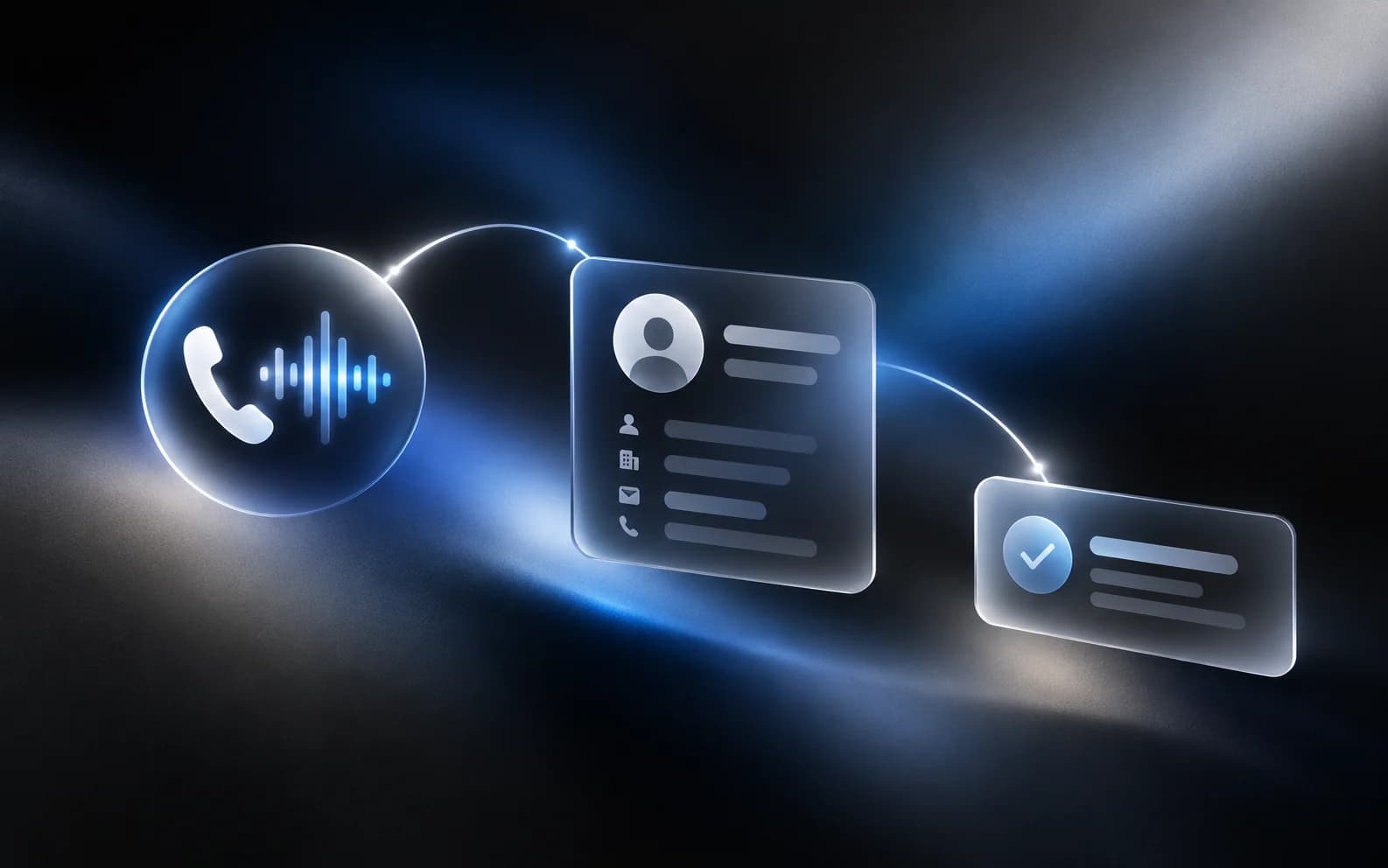
The term covers three distinct capabilities that vendors often bundle under one heading. One-way logging means the AI voice agent captures call details and writes them to your CRM as a new record or adds them to an existing contact. Two-way sync goes further: the agent reads contact data from the CRM before the call, uses it during the conversation, and writes updates back after. Real-time field mapping means that when your CRM schema changes (you add a field, rename one, or alter a dropdown's valid values), the integration adapts automatically without manual reconfiguration. Most vendors handle the first; fewer handle the second; only a small number handle the third without creating a backlog of failed syncs that require manual cleanup.
Each step in that chain is a place where the integration can fail silently. An agent might pick up a call, complete a booking, and write the details to the CRM, but write them to the wrong contact record because the deduplication logic did not recognize that the caller was already in the system under a different phone number format. The CRM update might succeed, but the history of the conversation might be stored in a separate logging system that does not sync back, so your sales team sees the booking but not why the prospect hesitated. Those are both called "CRM integration", but one leaves your data clean and the other leaves you with a maintenance burden.
The business impact hinges on which of these capabilities you actually get. A sales team that receives a call summary thirty seconds after a prospect hangs up can act immediately. A sales team that receives a summary four hours later (because the integration batches syncs to reduce API calls) can still act, but the moment has shifted. A team that watches the AI agent miswrite the prospect's company name into the wrong field learns to trust the integration less and manually verify more. That last one is true even when the integration works ninety-nine percent of the time. One manual correction per day across a team of ten people is an extra hour of data-entry overhead per week.
One-Way Logging versus Two-Way Sync in AI Voice CRM Systems
One-way logging is the simpler model and the one most voice AI platforms start with. After a call ends, the agent writes a summary, captures the outcome (booking confirmed, prospect qualified, objection noted), and pushes that data to your CRM. The CRM receives it as a new activity record or a note appended to an existing contact. This is what vendors mean when they say "we log calls to your CRM". It works well for call-capture workflows where the agent's job is primarily to document what happened, not to use existing data to shape the conversation.
Two-way sync changes the flow. Before a call connects, the agent queries your CRM for that contact's phone number, recent interaction history, and any relevant flags (do-not-call status, preferred contact method, known objections). During the call, the agent uses that information. It might ask "I see you looked at our pricing page last Tuesday, did you have questions about our enterprise tier?" rather than starting from zero. After the call ends, the agent writes not just the summary but also updates the contact record with new information: "marked as sales-qualified after discovery call" or "interested in demo, follow-up needed by Friday". Some platforms also log the call transcript itself, either in full or as a searchable index.
Two-way sync requires the vendor to maintain a live connection to your CRM's API, manage authentication securely (storing your API key in a way that does not expose it), handle rate limits (most CRMs throttle API calls per minute or per hour), and manage the flow of data without creating duplicates or overwriting recent manual changes. A common failure mode is this: your sales team manually updates a contact's status to "negotiating contract". Seconds later, the AI integration writes its own status update from a completed call, overwriting the contract status. The contact now shows as "call completed" instead, and the contract deadline goes untracked. Platforms that handle this well use timestamp checking and conflict resolution rules. Those that do not create situations where you have to disable the sync just to protect your own data entry.
Field Mapping and Schema Alignment in Voice CRM Integration
When the AI agent captures information during a call, it needs to know where to write it. Your CRM might have fields called "Next Action", "Followup Date", and "Deal Size". Rosie AI's integration (or any vendor's) must map its internal understanding of what happened to those specific fields. If you later rename "Next Action" to "Action Required" or change "Deal Size" from a number to a dropdown list with predefined ranges, the mapping breaks. The agent might continue writing to a field that no longer exists, or write a numeric value to a field that now expects "Under 10K" or "10K to 50K".
Most integrations require manual reconfiguration when a schema change happens. You log into the vendor's dashboard, find the field mapping section, update it to point at the new field name or adjust the value transformer to fit the new format, and reactivate the sync. That process takes fifteen minutes if you remember exactly what you changed. If you do not notice the schema change happened, the sync silently starts failing, and you do not discover it until you notice calls are not being logged to your CRM anymore. By then, you might have lost hours or days of data.
Robust platforms detect schema changes automatically and either adapt to them (by checking the CRM's latest schema on every sync, which is slower but safer) or alert you and pause the sync rather than writing bad data. This is not a small detail. A mid-market sales organization with fifty inbound calls a day that discovers a failed sync after two days has seventy-five calls unlogged and no record of those conversations. At an average call value of £50 per qualified lead, that is £3,750 in lost opportunity context. The vendor does not recover that for you. You recover it manually, if you can.
Deduplication Logic and Contact Record Accuracy
Every CRM contains duplicate contacts. Someone signs up with "john.smith@company.com", and three months later another person logs "j.smith@company.co.uk" thinking they are in a different org. Your sales team has both as separate contacts. When an AI agent answers a call from 07700 900123, it needs to decide: is this person already in the system? If yes, which record is theirs? This decision is deduplication, and it is where most integrations create their worst data quality problems.
Simple deduplication matches on phone number. The agent looks up the incoming number in the CRM, finds a match (or does not), and either updates the existing record or creates a new one. That works ninety percent of the time. It fails when the contact is in the system as "John Smith, Mobile: 07700 900123" but calls from their office line (02071 234567) which is not in the record. The integration creates a duplicate contact for the same person. It also fails when someone calls from a shared office number or calls center and the phone number matches dozens of contacts. Without additional logic, the agent might associate the call with whoever was entered first, leaving the record wrong.
Better deduplication uses multiple signals. It tries phone number first, then email if available (caller ID systems sometimes capture this), then a fuzzy match on company name and caller's spoken name. If those fail, it creates a new record but marks it as "unconfirmed duplicate" and alerts your sales team to review it. The worst deduplication is silent, creates the duplicate anyway, and leaves you to find it later during manual CRM maintenance. Ask the vendor directly: "If a caller is in our CRM under two different records and both match the incoming phone number, what does your system do?" If the answer is not specific and honest about the failure mode, the integration will create data problems at scale.
Sync Failures, Retry Logic, and Data Recovery
Every API-based integration fails sometimes. Your CRM's API goes down for maintenance, returns a 500 error temporarily, or hits its rate limit just as your call volume spikes. What happens then? A call completes, the agent tries to write the record to your CRM, and the API returns an error. Does the agent retry? How many times? How long does it wait between attempts? What happens to the call data if all retries fail? Is it queued and written later, or is it dropped? If it is queued, how long does the queue persist and how do you know when something is waiting to sync?
Many vendors handle this poorly. They retry once or twice, then give up and drop the data. You only discover calls were not logged when you run a report and notice gaps. Other vendors queue the data but only retry if the integration is still active. If you disable the integration for any reason (troubleshooting, switching to a new CRM), the queue is lost. The best implementations log the failure, alert the integration admin immediately via email or dashboard, queue the data durably (in a database that survives a restart), and provide a UI to manually review and resubmit failed syncs. This is expensive to build, so few vendors do it. If this matters to your business, it has to be part of your due diligence.
Test this explicitly in a trial. Make a call, then deliberately take your CRM offline or cause your integration's API key to expire. Complete the call. Bring your CRM back online. Check: was the call data written? If yes, how long after the call completed? If no, is there an alert anywhere in the vendor's UI showing the sync failed? If you see nothing and have to manually dig to discover the failure, the integration is not robust enough for production use.
Where to Find Answers in a Vendor's Own Documentation
Before you ask a vendor anything, spend time in their own public materials. Most platforms publish a pricing page (which tells you what integrations are available at what tier), a feature documentation section (which describes how each integration works), and an API or developer guide (which shows exactly what data flows where). A built-in CRM means the vendor controls both the phone agent and the data storage, which simplifies integration because they do not have to maintain a third-party API connection. Most voice AI platforms do not have their own CRM and rely on integrations instead. This changes what you should look for.
Check Rosie AI's own pricing page for what integrations come with which plans. If CRM integration is not listed by name, or if it is listed only for the premium tier, note that. If the pricing page does not specify whether it is one-way logging or two-way sync, that is your signal to ask in writing. Look at their documentation or help center for a guide titled "CRM Integration" or "Zapier Setup" or "Native Integrations". Read that guide. If it describes the setup process but not what happens when the CRM API fails, or how duplicates are handled, you have found a gap. Email the vendor with a specific question about that gap and ask for a written answer. A written answer is committal in a way a verbal statement is not.
Check whether the integration uses a third-party middleware like Zapier or a native direct connection. Middleware integrations are slower and more prone to failure because they route data through an extra system. Native integrations are faster but only exist if the vendor has dedicated engineering time to build and maintain them. Neither is inherently bad, but they have different failure modes. If the vendor uses middleware, ask about their SLA for that middleware. Zapier has its own status page. Does the vendor's SLA still apply if Zapier goes down?
Questions to Put in Writing Before Signing
Start with the foundational question: "Is your CRM integration one-way logging, two-way sync, or both? If both, which direction is the default and when should we use which?" A vendor that can answer this clearly in writing should be fine. A vendor that sends you to a sales call instead is either unsure or knows the answer would hurt the deal. Follow up with: "If a contact appears in our CRM under two different records, and both have matching phone numbers, which record does your system update?" The honest answers are "the first created", "the most recently updated", or "we alert you instead of choosing". If the vendor says "it just works" or "we handle that automatically", they have not tested this scenario.
Ask about failure modes directly: "If our CRM API returns a 500 error, how many times do you retry, and what happens if all retries fail?" Ask about data format conflicts: "If we have a CRM field that only accepts values from a dropdown list (like Deal Stage: Qualified, Negotiating, Closed), and your agent determines a prospect is in the Interested stage (which is not on our list), what does your system do?" Ask about latency: "How long after a call ends until the data is written to our CRM?" A delay of 30 seconds is fine. A delay of 4 hours is a problem. Ask about the audit trail: "Can we see a record of every sync attempt, including failed ones, with a timestamp and the error message if it failed?"
Ask about schema changes: "If we add a new field to our CRM or rename an existing field, does your integration automatically detect that, or do we have to manually update the field mapping?" If manual updates are required, ask: "During the time we are updating the mapping, what happens to calls? Are they queued, or are they written to the wrong field?" Get the answer in writing. These questions are not meant to be aggressive. A vendor with a robust integration will be happy to answer them because they reflect the reality of their product. A vendor that gets defensive or vague is showing you something important about the implementation's maturity.
What to Test During a Paid Trial
Do not evaluate this on a sales demo. Run a real trial with real incoming calls (or test calls from your own team members). Set up the integration exactly as you would in production. Make at least ten test calls with varied scenarios: a call from a contact already in your CRM, a call from a new number, a call from a number you have as a duplicate record, a call where the CRM should be unreachable. Log in to your CRM after each call and check the record. Is the new data in the right place? Is it in the right format? Is it complete, or are important fields empty? Run a report of all contacts created or updated in the last hour by the integration. Are there any duplicates you did not expect?
Deliberately break something. Take your CRM offline, make a test call, bring it back online, and observe what happens. Wait a full business day and check whether the data was eventually written. Go into your CRM and change a contact's email address. Make another test call from that contact's phone number. Did the agent read the new email? Did it write data back to the right record, or did it create a duplicate because the email no longer matched? Check the vendor's dashboard or admin panel for a log of sync events. Is there one? Can you see failed syncs? Can you manually resubmit them? If the vendor says "we do not expose that level of detail", that is a risk flag. You need visibility into what is happening with your data.
Test the configuration UI yourself rather than having the vendor's onboarding person do it. Ask them to walk you through the process: activate the CRM, authenticate to your account, map the fields, test the first sync, then step back and let you do the same thing on a second test account. That tells you whether the process is repeatable (good) or whether it requires vendor hand-holding every time (red flag). Ask how often you might need to re-authenticate. Most CRM APIs require periodic token refresh. If your integration requires you to log in to Rosie AI's dashboard and re-enter your CRM credentials every month, that is friction. If it handles refreshes silently, that is better.
When AI CRM Integration Is Not the Right Solution
Not every business should implement this. If your sales team manually reviews every lead before following up, and that review includes double-checking the CRM data anyway, adding an automated integration does not save you much time. If your CRM is old and does not have a modern API (or charges heavily per API call), the cost of integration might outweigh the benefit. If you have only a handful of inbound calls per day, the data entry cost you are trying to avoid is already small. If your CRM is customized heavily with unusual field types or logic that most integrations do not support, you might spend more time fighting the integration than you would doing manual entry.
Integrations also create lock-in. Once your call logs are flowing into your CRM automatically, switching to a different voice AI platform means rebuilding that integration. If Rosie AI's integration is native and tight, and you later decide to switch to a different platform, the data flow stops. You do not lose historical data, but new calls stop being logged until you set up a new integration. That switching cost is real, though it is not usually a blocker. The honest risk is this: if the integration has quality issues (frequent duplicates, missing data, sync failures), you will be fighting data quality problems rather than enjoying the automation benefit. In that scenario, you would have been better off with a platform that either has a better integration or that does not try to integrate at all and instead provides call summaries you can manually review and log yourself.
Start by asking whether two-way sync is actually a need, or whether one-way logging is enough. If a call summary written to your CRM a few seconds after the call ends is sufficient, one-way logging is simpler, faster to implement, and has fewer failure modes. Two-way sync shines when you have outbound campaigns where the agent needs to know a prospect's recent behavior before dialing, or when you are using the integration to update deal stage or other critical fields that your team relies on. If neither of those describes your workflow, simpler might genuinely be better.
Frequently Asked Questions
Can an AI voice agent integrate with any CRM, or only popular ones like Salesforce and HubSpot?
Most voice AI platforms integrate with the most popular CRMs and offer a generic webhook or API option for others. If your CRM has a public REST API, a vendor can usually build an integration, but it might require custom development and ongoing maintenance costs. Check the vendor's list of supported integrations on their website first. If your CRM is not listed, ask specifically about custom integration and who bears the cost of building and maintaining it.
What is the difference between Zapier integration and a native integration?
Zapier is middleware that connects two services without custom code. It is faster to set up but slower in execution (data goes through an extra hop) and depends on Zapier's uptime. A native integration means the voice platform talks directly to your CRM's API. It is faster and more reliable but requires the vendor to maintain the code, so it only exists for popular CRMs. For custom CRMs, Zapier is often the only option.
If the integration fails to sync a call to my CRM, do I lose that data forever?
Not necessarily. Most platforms retain the call recording and transcript indefinitely. The question is whether the associated metadata (lead source, outcome, follow-up action) is backed up somewhere if the CRM sync fails. Ask the vendor: if a sync fails, is that data stored locally or queued for retry, or is it written to a fallback system? If it is lost entirely, the integration is not production-ready.
How long does it typically take for a call to appear in my CRM after it ends?
This varies by vendor and integration type. One-way logging typically syncs within 10 to 30 seconds. Two-way sync can take longer if it involves multiple API calls. Some platforms batch syncs (every 5 minutes or every hour) to reduce API load, which means delays could stretch to an hour. Ask the vendor for their typical sync latency and whether it is adjustable.
What happens if my CRM schema changes after the integration is live?
This depends on the vendor. Some detect schema changes automatically and adapt. Others require manual reconfiguration of field mappings. During the time a field mapping is broken, calls either queue up to be retried later or are written to the wrong field. Ask the vendor about their approach before buying, not after you have already made a schema change and data starts getting written to the wrong places.
How do I know if the integration is working without logging in to my CRM manually every time?
The best platforms provide a dashboard or report showing sync events, success and failure rates, and a detailed log of recent syncs. If your vendor does not offer this, request it. You need visibility into what is happening with your data. At minimum, ask for email alerts when a sync fails repeatedly.
Should I use AI CRM integration if I only receive a few calls per day?
Probably not. The time saved on data entry for five calls per day is minimal. Integration adds complexity and potential failure points that are not worth it at that volume. If you scale to fifty calls per day, revisit the decision. The value proposition improves dramatically at scale.
If you are ready to evaluate how AI voice agents can fit into your actual workflow, including CRM integration, schedule a call with our team. We can walk through your specific CRM setup and show you what real two-way sync looks like in practice. Sysevo includes a built-in CRM, which eliminates the integration question entirely, but that is only the right choice if you are also comfortable moving your core contact data into a new system. For existing CRM users, understanding these integration mechanics is the foundation of a good decision.
Independent buyer's guide published by Sysevo. Sysevo is not affiliated with, endorsed by, or partnered with Rosie AI, and Rosie AI is the trademark of its owner. Product details change often, so confirm anything that matters to your decision with the vendor directly before you buy.