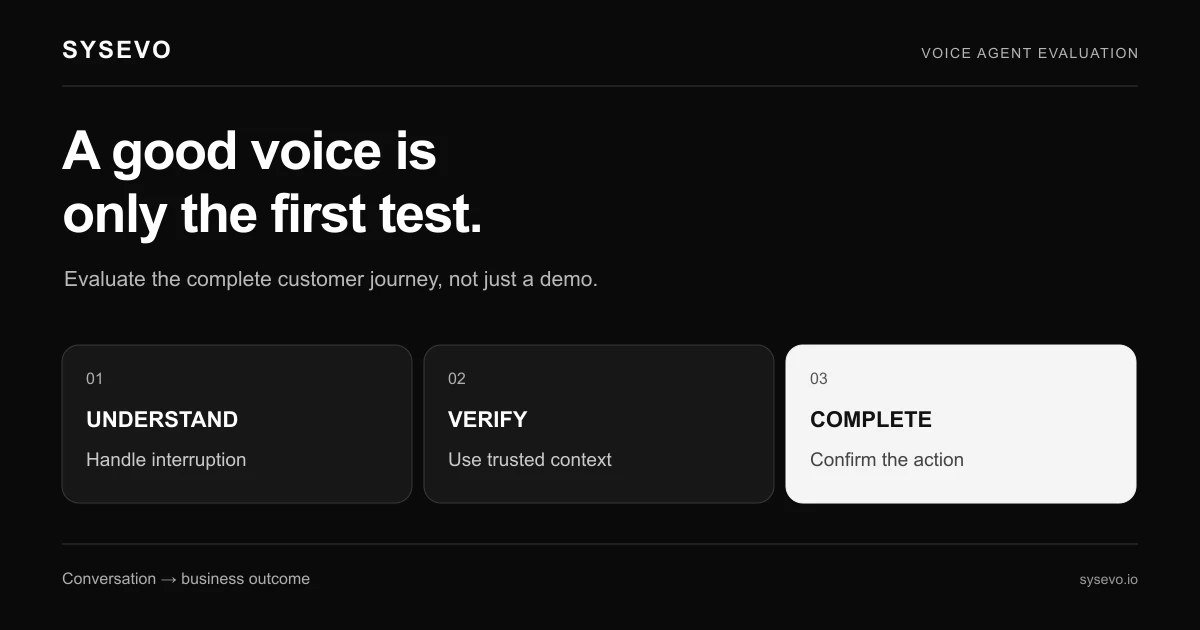
If you are evaluating Telnyx for AI voice agent capability, or looking at telnyx alternatives for ai voice agent solutions more broadly, you are navigating a crowded market with fundamentally different architectures. This is an independent buyer's guide from Sysevo. Sysevo is not affiliated with Telnyx, and current product details should be confirmed with vendors directly. The category includes build-it-yourself platforms, managed providers, white-label answering services, and enterprise contact centre suites bolted together from modules. Each trades speed for control, cost for flexibility, and simplicity for depth. Knowing which trade-off suits your operation determines whether you save 40 hours per month or waste three months debugging integrations.
How AI Voice Agents Actually Work Under the Hood
An AI voice agent is not a recording. It is a system that listens, understands, decides what to say, and acts on what it hears, all in real time. When a caller rings, the agent picks up within two seconds and begins transcribing the caller's speech to text using a speech-to-text engine. That transcription feeds a language model that determines intent: is this a new customer asking about availability, an existing client reporting a problem, or someone trying to transfer? The latency here matters. If the model takes three seconds to decide what the agent should say, the caller hears silence and assumes they have reached a voicemail queue. Good systems hold that decision time below 800 milliseconds.
Once the model has decided on a response, the agent generates natural-sounding audio using a text-to-speech voice and plays it back. The caller responds. The cycle repeats. But the agent is not following a rigid script. If the caller says something within its brief, it adapts. If the caller asks something it was never designed to handle, the system recognises that (a process called out-of-scope detection) and triggers a fallback: transfer to a human, book a callback, or record a message. This is where most first-generation systems fail. A poorly trained model passes callers to humans for things it could have handled, or tries to answer things it should not. The difference between a well-built agent and a broken one is often invisible to the buyer until week two of the pilot.
The agent also needs memory. If the same caller phones twice, the second conversation should reference the first. This requires integration with a CRM or call log. When the agent ends the call, it writes what happened to the system: the caller's name, the problem they reported, what action was promised, when follow-up is due. If that write fails, or if the CRM connection drops during the call, the agent has no context and the next representative starts from scratch. Most outages and poor experiences trace back not to the voice engine itself, but to the handoff between voice and backend systems.
The Four Categories of AI Voice Agent Provider
The market splits into four broad architectures, each with different operational implications. A build-it-yourself platform gives you APIs and SDKs to wire voice, speech-to-text, language models, and text-to-speech together yourself. You choose each component, deploy it where you want (on-premise, your own cloud account, or the vendor's infrastructure), and own the integration risk. The appeal is control: you can swap out speech-to-text engines, use a custom language model, and hook any backend system to the voice flow. The cost of this control is engineering time. You need at least one software engineer on staff or contract who understands VoIP, can debug latency issues, and can write the logic that decides whether a call should be transferred or handled by the bot. Lead time is typically four to eight weeks before you have a functioning agent, plus ongoing maintenance.
A done-for-you provider supplies a preconfigured agent that you train through a web interface. You tell the system what your business does, upload your knowledge base or FAQs, set up integrations to your CRM or ticketing system, and the provider handles the infrastructure, speech-to-text, language model, and text-to-speech. You do not touch code. The trade-off is flexibility: you are constrained by the platform's architecture, integrations, and model choices. If you need the agent to behave in a way the platform did not anticipate, you are asking the vendor's support team. Lead time is typically two to four weeks, and cost is a monthly subscription per agent or per minute of call time. Sysevo is a done-for-you provider with a built-in CRM, meaning you do not need to integrate to a separate system for call logging and context.
A white-label or managed answering service provides human receptionists who answer your calls, supplemented or replaced by AI. You set the service parameters: answer on the second ring, take messages, book appointments, transfer certain types of calls. Some services run AI for simple inbound calls (checking hours, confirming a booking) and pass complex calls to a human. Others are entirely human-staffed but branded with your name. The cost is higher per call (typically £0.50 to £2 depending on complexity and duration) but lower upfront. You do not run infrastructure. You also do not own the caller data, which belongs to the service provider. Lead time is instantaneous for human-only services, a few days for AI-augmented ones.
An enterprise contact centre suite (such as those from large telephony or CRM vendors) bundles voice, IVR, queuing, AI, reporting, and workforce management into one platform. These are built for inbound call centres with hundreds of agents. Licensing is per-seat, per-year, and implementation involves a systems integrator. You get deep customisation, compliance features (call recording, audit trails), and integration with the vendor's other products. The cost is £10,000 to £100,000+ per year, and lead time is three to six months. For a business with two inbound phone lines and no call centre infrastructure, this is overkill.
Why Speed Matters: Latency, Interruption, and Real-Time Response
A human receptionist can think and speak simultaneously. If a caller starts talking mid-sentence, they hear it, adjust, and respond naturally. An AI agent that processes voice in batch (waiting until the caller stops speaking, then transcribing, then deciding, then speaking) feels robotic and slow. The caller waits a beat, then another, and concludes they are on hold or the line is dead. Research into operator behaviour shows that latency above 1.2 seconds triggers hang-ups at roughly 8-12% per second of delay. For a business taking 50 inbound calls per day, a lag that causes one hang-up per ten calls is a real conversion loss, typically adding up to £200-400 per month in lost appointments or inquiries.
Good systems use streaming transcription and interruptibility. Streaming means the speech-to-text engine reports partial results as the caller is still speaking, so the agent can begin to formulate a response before they finish. Interruptibility means if the caller says something like "no, wait, I meant to ask about" the agent hears it and stops talking instead of ploughing ahead. Systems that lack this feel defensive and aggressive, as though the agent is not listening. When you trial any voice agent platform, make a test call and interrupt it mid-sentence. If it cuts you off or waits silently, that is a red flag.
The other latency culprit is backend integrations. If your AI agent needs to check a CRM, verify a booking, or fetch customer history before it can answer, that query has to complete in under 500 milliseconds or the caller hears silence. Some platforms batch these lookups or cache data to speed them up. Others do not, and the agent stalls while waiting. Ask any vendor how long their worst-case response time is from a caller's first word to the agent's first word, and what it includes. If they hedge or quote an average, that is a signal that their worst case is too long.
Integration Paths: CRM, Helpdesk, and Backend System Connections
The value of an AI agent is not in the call itself, but in what happens after. If the agent books an appointment but does not write it to your calendar, you miss it. If it collects a customer name but does not link it to an existing record, your next representative does not have context. If it identifies a problem but the information never reaches your support team, nobody acts. These failures are not voice failures, they are integration failures. When evaluating any platform, focus as much on integration as on conversation quality.
Some platforms offer pre-built integrations to common systems: Pipedrive, Zendesk, HubSpot, Google Calendar, Calendly. If you use one of these, the setup is typically point-and-click and takes a day. If you use something niche or in-house, integration might require custom code or a middleware tool like Zapier or Make. Some platforms publish detailed API documentation and support custom integration. Others do not, and your only option is to ask them to build it (weeks of wait, or an extra fee). Before choosing a platform, list the three systems where the agent needs to write data, then ask each vendor how long that integration takes and what it costs.
Context memory is harder. If your CRM holds previous calls, notes, and preferences, does the voice agent have read access to all of that before the call? Some platforms fetch only recent calls or summary fields to save lookup time. Others fetch nothing and rely on the agent to ask the caller. Sysevo's built-in CRM means context is stored in the same system the agent uses, so lookups are fast and no external integration is needed. If you use an external CRM, confirm whether the platform can read nested fields (like contact history, prior support tickets, or custom attributes) or only top-level fields, and test it in a pilot with your real data.
Telnyx Alternatives for AI Voice Agent: Comparing Platform Fit
When you are shopping telnyx alternatives for ai voice agent capability, you are implicitly asking which architecture fits your operation. A solo accountant answering client calls needs a different solution than a dental practice managing appointment requests, which is different again from an e-commerce returns line. The criteria are: call volume, call complexity, integration depth, budget, and uptime tolerance. If you take fewer than five inbound calls per day and most are appointment requests or info lookups, a done-for-you platform (including Sysevo) is faster and cheaper than building or buying enterprise infrastructure. If you take 100+ calls per day and each call involves checking three backend systems and routing to different teams, a contact centre suite or custom-built system is worth the engineering cost.
Budget splits into upfront and ongoing. A build-it-yourself platform has high upfront (engineering time) and moderate ongoing (infrastructure, API costs). A done-for-you platform has low upfront and moderate ongoing (subscription). An answering service has zero upfront and high ongoing (cost per call). An enterprise suite has very high upfront (implementation, licensing) and moderate ongoing (annual license, support). For a business with a £3,000 annual phone spend, moving to an AI agent should reduce that spend by 30-50% or improve conversion enough to justify the cost. If the vendor is claiming savings and cannot show you the math, challenge them.
Uptime tolerance also matters. If your business loses nothing from a 30-minute phone outage (you are not emergency services, not e-commerce returns, not a medical helpline), you can tolerate a platform that is down occasionally and recovers fast. If a one-hour outage costs you £500 in lost sales, uptime SLAs (typically 99% or 99.9% with vendors) start to matter. Check the vendor's status page or ask for historical uptime data. Do not ask them to quote their own uptime. That is almost always inflated.
Where AI Voice Agents Fail: Trade-Offs and Honest Limits
AI voice agents are not replacement receptionists. They are filters that handle a narrow set of calls very well and escalate the rest to a human. If your business has high call variety or callers who are confused, angry, or want to negotiate, a voice agent alone will frustrate more callers than it helps. A caller who is upset about a charge wants to speak to a human who can empathise and authorise a refund. A voice agent that insists on following a script while the caller is angry will cause the caller to hang up and call a competitor. Industry data on these scenarios is sparse, but most operators report that escalation rates above 40-50% indicate the agent was oversold for the use case.
Voice agents also struggle with accents, background noise, and audio quality. If your typical callers phone from noisy environments (a warehouse, a car, a construction site) or speak English as a non-native language, speech-to-text accuracy drops. A typical accuracy rate for clear English is 95%+. For heavy accents or poor audio, it can fall to 70-80%, and at that level, misunderstandings and escalations climb. Test your agent with a sample of real callers in the conditions they actually call from. If you recruit 10 test callers from your customer base and run a 5-minute trial with each, you will know within an hour whether the agent is viable for your population.
Data privacy and compliance are also constraints for some industries. Healthcare, finance, and legal firms often cannot store customer data on shared cloud infrastructure or must ensure recordings are encrypted and compliant with specific standards (HIPAA, PCI-DSS, GDPR). Some platforms offer compliance features; others do not. If your industry has strict requirements, this is a hard constraint that eliminates most commodity options. A custom-built or enterprise solution is the only path.
How to Run a Meaningful Trial and Measure Success
A trial should answer three questions: does the agent handle our use case, does it integrate to our systems, and do callers accept it. For question one, write down the five most common call types your business receives and the ideal outcome for each. Example: "A customer calls to reschedule a haircut. Agent should confirm their name and current appointment, offer three available slots, and book the new time." Run 10-20 test calls with your team, then 20-30 with real customers over two weeks. Measure: does the agent complete the task without escalating, does the caller hear natural responses with low latency, does the caller prefer the agent or find it frustrating. Most platforms will let you trial at no cost for two weeks. Use that time. Do not skip to purchase based on a demo.
For question two, use a pilot customer who is willing to let the agent attempt a booking or update in your live system. Do not test integration in isolation. If the agent can book a calendar event in a test environment but fails in production, you will not know until you deploy. Three to five live integration tests over the trial period is enough to surface 80% of integration problems. Ask the vendor whether they can provide a sandbox environment that mirrors your production data, including edge cases (customers with no phone number, past booking dates, accounts with special characters in the name).
For question three, track call completion rate and customer feedback. If 60% of calls are completed by the agent without escalation, and 85% of those customers report the experience was at least acceptable, the agent is viable. If 60% escalate or customers report frustration, the agent is not ready. Also measure the cost per completed call (agent subscription or usage costs divided by calls completed) and compare it to your current cost (receptionist labour, answering service, or unbundled cost). If the agent costs more per call than your current solution and handles the same volume, there is no business case unless conversion or satisfaction improves significantly.
Choosing Between Platforms: A Practical Evaluation Framework
Start by eliminating categories. If you have more than 20 inbound calls per day on average, eliminate white-label answering services (too expensive at scale). If you have fewer than two systems the agent needs to integrate with, eliminate enterprise suites (overkill, too expensive to implement). If you have zero engineering staff and a deadline of three months, eliminate build-it-yourself platforms (too much risk). If you have specific compliance needs or 500+ inbound calls per day, eliminate commodity done-for-you platforms and focus on enterprise or custom. By ruling out architectures that do not fit, you narrow the field from dozens of vendors to three to five that are actually worth comparing.
For the remaining candidates, score them on these seven criteria: lead time to deployment, cost per month, integration effort, uptime SLA, AI flexibility (can you tune the model, adjust response templates, set escalation rules), support responsiveness (do they have a phone number, or only email), and whether they store your data. This is not a points system. It is a filter. A vendor that has a four-month lead time but costs half as much as another is only cheaper if you have time to wait. A vendor with beautiful AI but no CRM integration forces you to buy a separate system, which doubles cost and complexity. Weigh what matters to your operation, not what the vendor highlights in sales materials.
Get pricing in writing and ask about everything included: does the price cover escalation transfers, conference calls, call recording, reporting, or custom integrations? Does it scale linearly (ten agents cost ten times more) or with volume breaks? What is the minimum contract term, and what are the exit costs if you leave? Many vendors quote the price per agent per month but hide that it includes only 100 calls per month, with overage charges above that. Ask for total monthly cost for your expected call volume for the first year, not per-unit price. If they resist giving you a number in writing, or quote a range that is wider than 3x, they are using pricing as a negotiation tactic and the final number will be higher than any demo quote.
Frequently Asked Questions
Is an AI voice agent better than a human receptionist?
No, but it depends on the task. An AI agent is faster and cheaper at routine calls (appointment booking, info requests, status checks) where the caller knows what they need. A human is better at handling confusion, frustration, negotiation, or unexpected requests. The best setup often combines both: AI handles the first interaction and escalates to a human if needed. This hybrid model reduces your receptionist workload by 40-60% while keeping customer satisfaction high.
How long does it take to deploy an AI voice agent?
Done-for-you platforms like Sysevo typically go live in two to four weeks, including training the agent and integrating one or two backend systems. Build-it-yourself platforms take four to eight weeks of engineering. Answering services are live in days. Enterprise suites take three to six months with an integrator. Lead time depends on your architecture choice and integration complexity more than on the vendor.
What happens if the AI agent misunderstands a caller?
A well-designed agent recognises when it is not confident and escalates. If it misunderstands and attempts an action (booking an appointment on the wrong date, recording the wrong problem), the backup is a human review. Most platforms log all calls and transcripts, so support staff can spot mistakes and correct them. The goal is zero customer-visible errors in deployed scenarios, which means testing extensively before launch.
Can I use the same AI agent for outbound calls and inbound?
Some platforms support both, but they require different configurations. Inbound agents are reactive, responding to what the caller says. Outbound agents are proactive, following a script while remaining responsive to caller interruptions. Testing and tuning are different for each. Most businesses start with inbound (answering calls) and add outbound later (follow-up calls or outbound campaigns). Not all platforms handle both equally well, so ask specifically how the vendor supports the use case you need.
What if my CRM is not on the integration list?
Check whether the platform has an open API and whether integrations can be built via middleware tools like Zapier or Make. If it does, custom integration is possible but requires technical setup time and ongoing maintenance. If the platform has no API or the API is limited, you are stuck either asking the vendor to build a custom integration (weeks or months) or using a separate call logging system. This is a real constraint, so confirm integrations before committing.
How much can an AI agent save my business?
Savings depend on your current cost and call mix. If you pay a receptionist £24,000 per year to answer 40 calls per day, and an AI agent handles 60% of those calls, you might reduce receptionist hours by 24 hours per week, saving £12,000 per year. The agent subscription costs £2,000-3,000 per year, so net savings are £9,000-10,000 annually. If conversion or customer satisfaction improves because calls are answered faster, savings are higher. Model this with your own numbers, not generic benchmarks.
Independent buyer's guide published by Sysevo. Sysevo is not affiliated with, endorsed by, or partnered with Telnyx, and Telnyx is the trademark of its owner. Product details change often, so confirm anything that matters to your decision with the vendor directly before you buy.