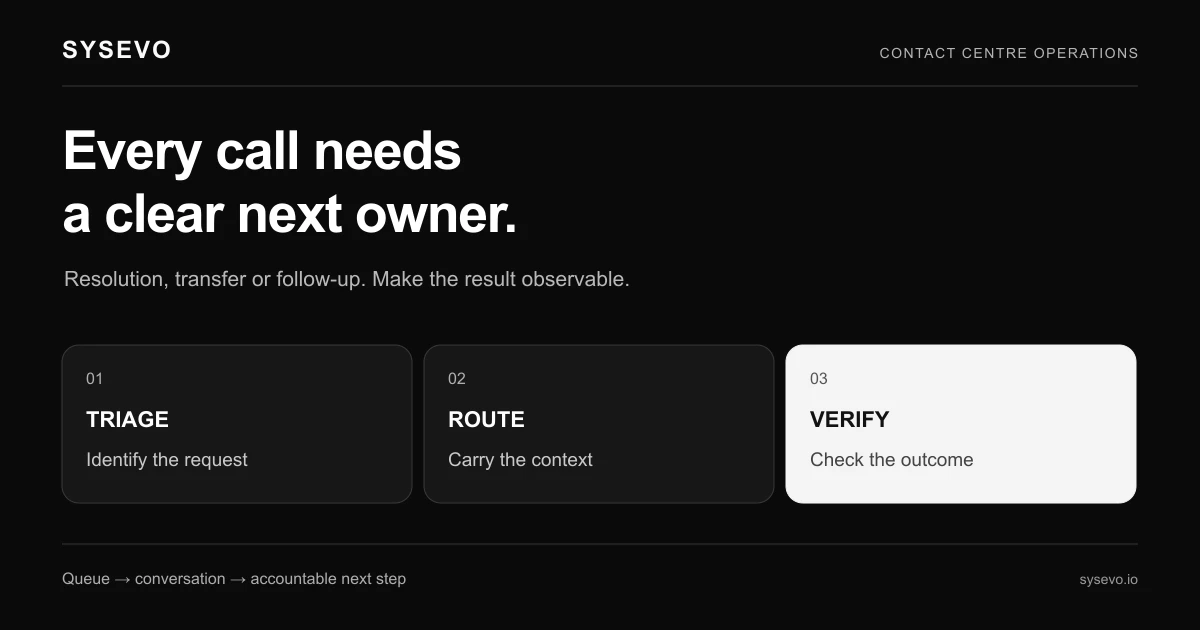
AI in call centres from cost centre to growth engine describes the shift from viewing contact operations as pure cost to architecting them as competitive advantage and revenue source. This shift happens through three layers: voice agents handling inbound and outbound work, quality assurance automation that captures every interaction, and CRM integration that turns talk into action.
The mechanics are straightforward but powerful. When a call arrives, an AI voice agent answers on the second ring, asks clarifying questions, and writes a structured summary directly to your CRM with tags, call intent, and recommended next step. Your team then sees not a transcript but a prepared dossier. The same agent can run outbound campaigns, qualifying leads before your sales team dials. Quality assurance no longer means sampling 5% of calls and waiting two weeks for a report; it means analysing 100% of interactions in real time, flagging compliance gaps and coaching moments as they happen.
How AI Voice Agents Reshape Call Centre Economics
A traditional call centre's cost structure is dominated by headcount. An agent in the UK costs £22,000 to £28,000 annually with salary, payroll tax, benefits, and training. Handling time averages 6 to 8 minutes per inbound call plus after-call work. Multiply that across a typical small business operation handling 200 calls a day, five days a week, and you are spending roughly £85,000 per year per agent to manage 40,000 annual calls. That is £2.12 per call before overhead, premises, supervision, or quality assurance staff.
An AI voice agent deployed through a platform like Sysevo handles the same inbound volume at a per-call cost of £0.15 to £0.40, depending on call length and complexity. For a business taking 200 calls daily, that translates to £15,000 to £40,000 annually for the same inbound function. The agent never takes leave, never arrives late, and does not deteriorate in performance at 4 p.m. on Friday. It handles after-hours calls that would otherwise go unanswered, turning missed calls into captured inquiries.
The operational shift matters as much as the cost. Where a human agent can hold four to six active call contexts in memory, an AI system stores every caller's history, previous issues, preferences, and payment status in structured form. When a repeat customer calls about a billing dispute, the agent retrieves not a vague recollection but the exact invoice, payment method, and previous contact notes. First-call resolution rates typically improve from 65% to 82% under this model because the information is complete and instantly accessible.
For outbound work, the gains compound. An AI agent can make 40 calls per hour to a warm lead list, qualifying interest, capturing objections, and scheduling callbacks. Human agents typically complete 20 to 24 calls per hour on the same task, with higher hang-up rates on initial contact. Over a month, a single AI agent can execute 8,000 qualification calls. A team of three human agents performing the same work costs £78,000 annually; the AI alternative costs £8,000 to £12,000. The quality of data captured is higher because the system records every objection, every competing product mentioned, every budget constraint.
Building The Data Foundation With Call QA Automation
Quality assurance in traditional call centres operates on sampling and delay. A supervisor listens to a random 5% of calls, scores them against a rubric, and generates feedback two to five days after the call. By then, the pattern is invisible to the agent, and coaching is detached from the moment that mattered. Compliance gaps often go unspotted until a customer complains or an audit finds them months later.
Call QA automation changes this entirely. Every call is analysed in real time by AI that understands your compliance rules, sales language, and customer experience standards. The system listens for specific phrases (Did the agent confirm the caller's name? Did they offer the extended warranty?), detects tone shifts that suggest frustration, and flags calls that mention competitors or pricing objections. This is not guesswork; it is systematic pattern recognition running on 100% of your call volume.
The output feeds directly into two functions. First, immediate coaching. An agent hears a soft alert after a call that they skipped the confirmation step on three calls this morning, with a link to a 90-second video showing the correct approach. Compliance issues trigger stronger signals: a call that failed to include the required data protection statement is flagged to a manager instantly, not discovered in an audit three months later. Second, aggregate insights. Your leadership sees not "Agent Sarah had a bad day" but "Our team is mentioning competitors in 12% of calls, mostly during price objections. Here is the pattern." You can then adjust scripting, pricing communication, or product positioning based on real data from real conversations.
AI quality assurance also eliminates the supervisor's routine listening work, freeing them to focus on coaching, strategy, and team morale. A supervisor at a 20-person contact centre currently spends two to three hours daily listening to calls and writing scorecards. Automated QA removes that work almost entirely, shifting the role toward mentorship and performance management. That supervisor becomes a coach, not an auditor.
The CRM Integration Layer That Converts Talk Into Action
An AI voice agent without CRM integration is a transcription machine. It answers calls, captures information, and then stops. The data sits in a call log that nobody reads until a customer complains or a question arrives that requires historical context.
Integrated CRM changes the function. Every call triggers a structured entry in your customer database. A caller rings to ask about order status; the agent checks your order system, confirms the shipment date, updates the delivery address, and creates a task for your team to follow up with tracking details. The record now contains the complete story: the conversation summary, the sentiment, the action items, and who is responsible for the next step. Your sales team sees this record when they open the customer profile, so there is no repeated explanation or missed context.
This integration is where cost centre becomes growth engine. Inbound calls become qualified leads. A prospect calls asking "Do you offer enterprise licensing?" The agent determines they are a mid-sized company with 200 employees and records that in the CRM as a high-value inbound opportunity. Your sales director sees a warm lead, not a generic inquiry. Outbound campaigns run by AI agents create CRM records tagged by interest level, objection type, and budget range, so your sales team works qualified prospects first, not cold lists.
For customer service, the same mechanism drives repeat value. A customer calls about a product fault. The agent escalates to your technical team with a pre-populated ticket containing the caller's account, purchase history, and the exact issue described. Your technician receives not a vague support request but a prepared dossier. Average resolution time drops because context is instant.
Where Call Centre AI Performs Best
AI voice agents excel in high-volume, repeatable scenarios. A business handling 150+ inbound calls daily with consistent call types sees rapid return. An electrical contractor fielding callback requests, quote inquiries, and appointment rescheduling can deploy an AI agent to handle 60% of that volume within weeks. A SaaS company taking account setup inquiries, billing questions, and feature requests on a predictable pattern deploys effectively almost immediately. These scenarios have clear intent, structured questions, and definite next steps. The agent learns fast because the conversation patterns repeat.
Outbound campaigns produce measurable results quickly when your list is warm or segmented. Calling existing customers to ask about a renewal, offering an upgrade, or inviting feedback to a survey are high-success scenarios. The agent can qualify interest and transfer hot leads to your team. A financial services firm doing customer win-back campaigns for lapsed policies can run 2,000 calls weekly with an AI agent, capturing interest and booking follow-up conversations that your sales team then handles. The cost per qualified lead is 40% of what a human calling campaign would cost.
Call analysis AI works best in environments with regulatory requirements or high training costs. A healthcare provider must document that every patient call included a consent statement; quality assurance automation flags non-compliance in real time, preventing penalties. An insurance call centre needs to ensure agents explain policy terms clearly; call analysis surfaces exactly where that explanation breaks down, enabling targeted coaching. A legal services firm billing by the hour needs accurate time tracking on every call; automated call analysis extracts call duration, topic, and urgency level, feeding directly into billing systems.
Sysevo's approach of bundling voice, QA, and CRM in one platform eliminates integration friction. You are not stitching three vendors together and debugging handoff failures. Call data flows directly into your customer records without manual exports or API mapping. This matters because integration complexity is the primary reason deployment delays happen. When your platform handles the plumbing, you deploy faster and maintain higher data accuracy.
The Honest Limits Of Call Centre AI Today
AI voice agents still struggle with ambiguous intent and multi-layered problems. If a caller says "I'm having issues with my account," the agent must ask clarifying questions and handle multiple possible paths: password reset, billing dispute, subscription change, or something else. Current systems handle this, but with visible constraints. A truly novel scenario or a caller with unclear objectives may result in the agent requesting a transfer to a human. This is not failure; it is proper design. The agent recognises the ceiling and escalates instead of providing bad answers.
Emotional intelligence remains a gap. If a caller is angry, frustrated, or distressed, an AI agent can acknowledge emotion and route appropriately, but cannot deliver the reassurance and empathy that a patient human provides. A frustrated customer who has waited in a queue for 10 minutes may not accept an AI agent as an answer. They want a human. This matters for complex complaints, personal crises, or high-stakes decisions. Some businesses should not automate these interactions; they should staff them adequately instead.
Training and tuning require upfront investment. An AI agent works best when trained on your specific language, rules, and customer base. Out of the box, it handles broad scenarios. Custom performance takes weeks and ongoing refinement. If your business has highly niche terminology, complex compliance rules, or unusual call flows, expect a longer onboarding and continued investment from your team to optimise. A business with 30 calls a month cannot justify this effort; a business with 300 can.
Data quality and privacy require discipline. An AI agent is only as good as the information available to it. If your CRM is incomplete, outdated, or inconsistent, the agent will make errors. If you store customer data insecurely or fail to handle it according to regulation, automation amplifies the risk because every call now feeds the database. Businesses with messy data should clean it before deploying AI. Businesses in heavily regulated sectors must ensure their AI integration audit trail is complete and defensible.
Measuring The Business Impact Of AI In Call Centres
The measurable outcomes break down into four areas. First, cost per call. Calculate your current inbound cost by dividing total contact centre cost by annual call volume. Most businesses find they spend £1.80 to £3.20 per inbound call including all overhead. AI reduces this to £0.20 to £0.60 per call depending on complexity. For a business handling 50,000 calls annually, moving from £2.50 to £0.40 per call saves £105,000 yearly. That is the gross saving; subtract the platform cost and integration effort, and the net typically appears within six months.
Second, first-call resolution. Track the percentage of callers who have their issue fully resolved in one conversation without escalation or callback. Industry baseline is 60% to 68%. Businesses deploying AI with full CRM integration typically reach 78% to 85% within three months because context is complete. Each percentage point improvement reduces repeat calls by roughly 1.5%, compounding the cost advantage. If you take 5,000 calls monthly and improve first-call resolution from 65% to 80%, you eliminate 75 repeat calls monthly. At £2.50 per call cost, that is £1,875 saved monthly before considering the efficiency gain on your team.
Third, lead capture and sales pipeline. Measure the number of qualified leads generated from inbound calls and outbound campaigns. Before AI, an inbound inquiry might become a rough note in a shared email. After AI, every inquiry is tagged by intent, company size, budget range, and objection type, and routed to your sales system. If your business generates 200 inbound inquiries monthly, and AI structured data improves conversion rate from 12% to 18% because follow-up is faster and more contextual, you gain an extra 12 sales monthly. At an average deal value of £4,000, that is £48,000 in additional revenue monthly, or £576,000 annually.
Fourth, compliance and risk reduction. If you operate in a regulated sector, measure the time to detect and remediate compliance breaches. Before AI QA, breaches might be found during an audit or after a customer complaint. After AI QA, they are found within 24 hours. For a business facing £500 per breach fine multiplied across dozens of call centre interactions, the cost avoidance is substantial. A healthcare provider conducting 1,000 calls monthly with a 2% compliance breach rate faces £10,000 in potential fines if breaches go undetected. Real-time QA that catches 95% of breaches early reduces that exposure to £500 monthly.
Choosing The Right Platform And Deployment Model
The market offers three deployment approaches. First, dedicated platforms combining voice, QA, and CRM in one system, designed specifically for call centre use. These platforms handle integration internally and offer the fastest path to value. The trade-off is that you are locked into their CRM and cannot easily bring your own. Second, voice-plus-integrations platforms that provide the AI agent and quality assurance but require you to integrate your own CRM through APIs. This gives flexibility but introduces technical work and potential integration gaps. Third, add-on QA and analytics tools layered on top of your existing phone system and CRM. This approach is the slowest to implement and produces the least integrated experience, but requires the least change to existing tools.
Evaluate vendors on three criteria. First, call handling capability in your specific scenario. Request a demo of your exact call type: inbound support, outbound campaigns, or mixed. Ask specifically how the agent handles your most complex call. Second, CRM integration depth. Can the platform write structured data to your CRM automatically, or does it export transcripts that require manual entry? How quickly does CRM data surface in the agent's conversation context? Third, quality assurance flexibility. Can you define your own scoring rules, or are you limited to pre-built templates? Can you analyse calls against compliance rules specific to your industry?
Pricing models vary widely. Most platforms charge per call (£0.05 to £0.15 per inbound minute), per month for unlimited calls within a tier (£500 to £2,000), or per agent (£300 to £800 monthly). For a business taking 100 calls daily, per-call pricing typically favours high-volume scenarios, while fixed monthly pricing favours consistent volume. Calculate your expected monthly call minutes and compare the actual cost, not the headline rate. Include training, integration time, and staff time to tune the system in your total cost projection.
AI In Call Centres From Cost Centre To Growth Engine In Practice
A practical implementation timeline looks like this. Weeks one and two, define your call scenarios and map your customer journey. Document the most common inbound calls, the questions your team asks, and the data you need to capture. Identify compliance rules, required questions, and escalation triggers. Week three, configure the AI agent's knowledge base and conversational flows. This is where training happens. The system learns your business language, your products, your policies. Week four, test with a small subset of calls and refine based on actual performance. Weeks five and six, go live with increasing call volume, monitoring for edge cases and tuning as needed.
In parallel, prepare your team. Support staff need to understand what the AI is handling and what they are handling. CRM data quality matters immediately, so any clean-up work should start before deployment. Quality assurance rules should be finalised before the system goes live; retrofitting them after is more disruptive. Budget one person at 20% capacity for the first month to monitor performance and address issues. After that, a quarterly review cycle usually suffices.
The business case typically stabilises at three months. By month four, you are seeing repeatable cost savings, measurable improvement in first-call resolution, and new lead capture workflows running reliably. At this point, you can confidently expand to other call types or geographies. Many businesses then redeploy cost savings into capacity: handling more calls with the same budget, or redeploying staff from call handling into customer success, technical support, or sales engineering where human judgment adds more value.
Integration With Existing Systems And Workflows
The CRM is the lynchpin. An AI voice agent that writes to your built-in CRM automatically eliminates manual data entry and ensures consistency. Your team sees the caller's complete history, previous issues, and recommended next steps as soon as they open the record. This matters more than raw call cost because it changes how your team works. Instead of asking the customer to repeat information, they confirm what they already know. Instead of guessing at the customer's intent, they read a summary written by the AI agent moments after the call. This reduces handle time, improves first-call resolution, and improves customer experience simultaneously.
If you already have a CRM you want to keep, ensure the AI platform integrates reliably. Request a technical integration review with both the AI platform and your CRM provider before signing a contract. Test the integration under load: does data write quickly, or do records lag by hours? Does the integration handle all the field types you need, or are some fields lost in translation? These details determine whether the platform becomes genuinely integrated or becomes another system that requires manual workarounds.
Outbound campaigns represent the secondary integration requirement. If you want the AI agent to run campaigns, ensure the platform can import your list, segment it, score leads during the campaign, and write results back to your CRM with the scoring intact. Some platforms handle this seamlessly; others require you to export results and import them manually. The manual path defeats the efficiency gain.
For compliance-heavy sectors, integration with your quality assurance workflows is essential. The platform must either provide native QA scoring aligned with your audit requirements, or integrate with your existing quality system so that findings feed into your compliance documentation. A healthcare provider needs call QA findings to feed into patient safety records; a financial services firm needs them to feed into regulatory audit trails. This is not optional; it is structural.
Scaling AI Voice Operations Across Your Business
The natural path is to start with one call type and expand. Many businesses begin with inbound support questions because they are high-volume, repeatable, and immediately valuable. Once that workflow is stable, they add outbound campaigns for lead follow-up or customer win-back. Once both are running, they add technical escalation triage so the AI agent routes technical calls to the right specialist, reducing transfer times. Each phase builds confidence and tunes the underlying data and processes.
As volume grows, the platform's multitenancy and reporting capabilities become critical. You need visibility into which teams are handling which call types, whether performance is consistent across teams, and where coaching is needed. Some platforms provide granular reporting; others offer only summary dashboards. If you plan to run multiple call queues or expand geographically, ensure the platform scales reporting to match. A business with 20 agents in one location has simple reporting needs; a business with 80 agents across four locations needs structured team hierarchies and comparative metrics.
Workforce integration is often overlooked. If your AI agents are handling 60% of calls and your human team is handling 40%, how does scheduling work? Do your human agents have predictable queue patterns they can prepare for? Can the system intelligently route calls based on complexity so humans handle only the cases that genuinely need them? These operational questions matter more than the raw cost saving because they determine whether your team is working efficiently or just managing overflow. A good platform includes workforce management tools that coordinate AI and human agents.
Consider caller memory and context as you scale. Larger operations have more repeat customers and more complex histories. When a customer calls, does the system instantly surface their complete journey, or does it retrieve only recent transactions? Does it remember that a customer prefers email contact, or do they have to re-explain this preference to every agent? These details determine whether automation feels seamless or requires customers to override it constantly.
Avoiding Common Implementation Pitfalls
The most frequent failure is deploying an AI agent without adequate knowledge base training. The vendor sets it up with generic capabilities, you turn it on, and it fails on common variations of your actual scenarios. A healthcare clinic's AI agent can book appointments but fails when callers ask about cancellation policies because that was not included in training. The result is frustrated callers and immediate staff workarounds that undermine the whole project. Solution: invest time in training the system against your actual call transcripts, not hypothetical scenarios. Provide 100+ real examples of your most common calls and let the system learn from them.
The second failure is poor escalation design. When the AI agent cannot handle a call, where does it go? If it transfers to a queue with 10-minute wait times, the customer's frustration has doubled because they waited for the AI and then for a human. Better design: the agent recognises the escalation trigger early, queues the call, and provides a callback offer instead. The customer gets called back within the hour by a human who has already read the conversation summary. This is genuinely better service, not a backup plan.
The third failure is treating AI as a replacement instead of an amplifier. Leadership expects to reduce staff by 50% because AI handles half the calls. In reality, the remaining staff are now handling complex, high-friction cases with unhappy customers. Those staff need better training and more support, not fewer resources. Reframe the investment: AI handles routine volume so your team can focus on high-value or high-complexity customers. That builds better experiences and drives better business outcomes than pure headcount reduction.
The fourth failure is skipping data quality preparation. Your CRM has incomplete customer records, outdated phone numbers, and inconsistent fields. The AI agent writes perfect data, but reads broken data, making mistakes because the source material is poor. Solution: audit and clean your CRM before deploying. This is boring work but essential. A one-week data clean-up project returns more value than two months of tuning the AI agent.
The Financial Model And ROI Timeline
A typical mid-sized business with 50 agents handling 200 calls daily spends approximately £800,000 annually on call centre operations. Deploying AI to handle 40% of that volume (80 calls daily) costs £12,000 to £18,000 annually for the platform and perhaps £15,000 in integration and training costs. Total investment is roughly £30,000 in year one. The cost saving from reducing call volume from 200 to 120 daily is £320,000 annually (assuming £2.50 cost per call and handling 5% fewer total calls due to better first-call resolution). Net year-one benefit is £290,000 minus opportunity cost of staff time during implementation.
Year two, the platform cost continues at £12,000 to £18,000 but integration costs are zero. You have likely deployed to additional call types or geographies, expanding the volume handled by AI to 50% of inbound calls. Cost savings grow to £400,000 annually. The ROI is now 2,200%, and you have a second year of pure margin improvement.
The less obvious benefit is velocity. Your team handles 60 calls daily instead of 200, but with richer context. Average handle time falls by 3 to 5 minutes because first-call resolution improves. Support staff spend time on complex issues instead of routine questions. Morale improves because the job is less repetitive. Customer satisfaction improves because callers rarely have to repeat themselves. These are real business benefits that do not show up in an ROI spreadsheet but determine whether a business scales or stagnates.
To run your own financial model, start with your current call centre cost and call volume. Calculate cost per call. Estimate the percentage of calls that are routine and repeatable. Estimate the platform cost and integration effort. Then calculate the cost saving if that percentage is automated and first-call resolution improves by 15 percentage points. That is your baseline business case. Add in the value of new leads captured from inbound calls, and the calculation usually becomes strongly positive within six months.
Building The Business Case And Getting Buy-In
The business case must address three audiences: finance, operations, and the contact centre team itself. For finance, lead with cost per call reduction and payback period. Show that you spend £2.50 per call and can reduce that to £0.50 per call on 40% of volume, saving £120,000 annually for a £30,000 investment. Payback is three months. Finance understands this language immediately. For operations, lead with first-call resolution improvement and escalation reduction. Show that current first-call resolution is 68% and the deployment will improve it to 82%, reducing repeat call volume by 200 calls weekly. That is 10,000 calls annually that do not consume capacity. For the team, be honest about change. Some of their role will change. Routine calls will be handled by AI; they will handle more complex, more interesting cases. They are not losing their jobs; their jobs are changing for the better.
Request a pilot. Propose running the AI agent on a subset of inbound calls for 30 days. Your phone system routes 20% of calls to the AI agent and 80% to humans. Measure handle time, first-call resolution, customer satisfaction, and team sentiment. After 30 days, you have real data to present to leadership. Most pilots show material improvement, and leaders are much more comfortable with a full rollout after seeing live results rather than a spreadsheet projection.
Expect resistance from the team. Contact centre staff fear automation is taking their job. Address this directly. Explain that the business is growing and facing more calls than the team can reasonably handle. AI handles the volume growth so the team does not have to. Jobs are changing, not disappearing. Offer training for staff who want to move into quality assurance, team leadership, or customer success roles. When the team sees that this is real and that management has a plan for career progression, resistance typically shifts to curiosity and then enthusiasm once they experience the actual workload change.
Next Steps And Getting Started
If your business is handling 100+ calls daily with repeatable scenarios, AI voice agents are likely a good fit. Start by defining your use case precisely. What calls do you want to automate? What are the success criteria? What data must be captured? Spend a week documenting this. Then request demos from three platforms. Evaluate them against your specific scenario, not against generic features. Ask for references from businesses in your industry. Talk to existing customers about implementation experience, not just marketing promises.
The decision point is usually whether the platform's CRM integration aligns with your workflow. If it does, implementation is straightforward and rapid. If it does not, you are adding integration complexity and cost. Book a call with a platform provider and walk through your exact scenario. Ask specifically how data flows through their system, how errors are handled, and how your team overrides or corrects the AI if needed. These operational details determine whether a project succeeds or becomes a frustrating workaround.
The broader question is whether you are ready to shift from cost management to service innovation. That shift requires leadership commitment to integrating AI into your workflow, not just bolting it on. It requires staff training and process change. It requires treating customer data seriously. If your organisation is ready for that shift, AI in call centres from cost centre to growth engine is a genuine competitive advantage. If you are looking for a magic cost-cut with no process change, it will disappoint.
Frequently Asked Questions
Can AI voice agents handle calls in multiple languages?
Yes. Most platforms support multiple languages and can be configured to greet callers in their preferred language and conduct conversations accordingly. Accuracy varies by language; English and Spanish are typically excellent, while less common languages may require more tuning. If your business serves multilingual customers, confirm the specific languages are supported before contracting.
What happens if the AI agent cannot understand a caller?
The agent will ask clarifying questions up to a natural limit, then offer to transfer the call to a human team member. This escalation should happen gracefully, with the AI providing the human agent with a summary of what the call was about and what the caller is trying to accomplish. Poor escalation design is a common failure point, so validate this carefully during evaluation.
How long does it take to deploy an AI voice agent?
Typical deployment is 4 to 8 weeks from contract to production, depending on integration complexity. A simple inbound scenario with an existing CRM integration can go live in 3 weeks. A complex scenario requiring custom rules, multiple integrations, and extensive training may take 10 to 12 weeks. Budget time for your team to prepare knowledge base content and define escalation rules.
Do customers mind talking to an AI agent instead of a human?
It depends on the scenario and execution. Customers accept AI agents for routine queries like appointment booking, account information, or quote requests. They resist AI for emotional or complex issues like complaints or sensitive problems. Well-designed systems escalate to humans when appropriate, so customers never feel trapped. Focus on designing the agent to be helpful and quick, not on making it sound human.
How do I ensure compliance when using AI voice agents?
Ensure the platform provides native call recording that meets your regulatory requirements and integrates with your compliance documentation. Define specific rules the agent must follow (e.g., data protection statements, consent captures) and ensure the platform enforces them and logs compliance in audit trails. Quality assurance automation should flag breaches immediately. Have your legal or compliance team review the platform's approach before deployment.
Can I use AI agents for customer service escalations?
Yes. An AI agent can triage incoming support tickets by capturing the issue, checking your knowledge base for common solutions, and offering immediate resolution for straightforward problems. Complex or urgent issues are escalated to your support team with full context already captured. This reduces time to resolution and ensures your team starts with complete information.