
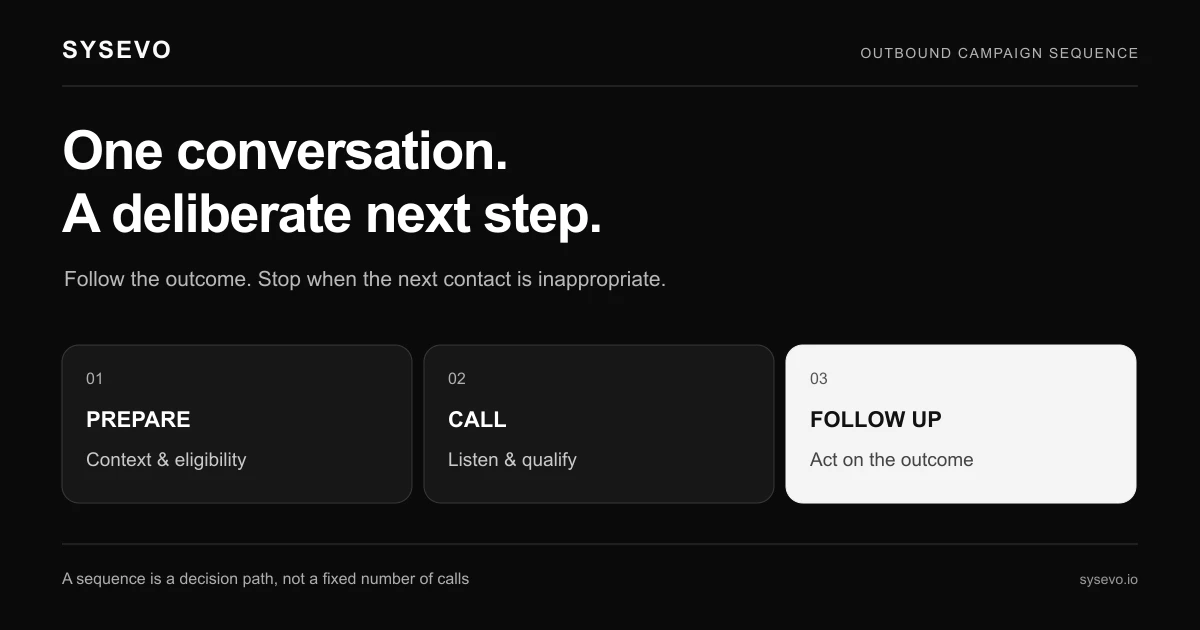
An AI outbound campaign is a sequence of automated calls placed by a voice agent to prospects or existing customers, with each call triggering a next action based on the response. The voice agent answers questions, qualifies intent, books appointments, and logs outcomes directly into your CRM. Unlike a static dialer that reads a script and hangs up, a modern AI outbound campaign captures what the person actually said, learns from it, and updates the follow-up trajectory in real time.

The difference between this and traditional outbound dialing sits in the integration layer. A voice agent doesn't just deliver a message; it holds a conversation, decides what question to ask next based on the reply, and writes structured data into your CRM without human transcription. That loop is what turns a call list into a campaign. This article covers how that loop works, where it breaks, what it costs, and whether your business is ready for it.

How AI Outbound Campaign Sequences Actually Work

A typical outbound sequence starts with a list: prospects from a previous webinar, customers past their renewal date, leads from an abandoned shopping cart. The voice agent calls the first number, listens for a voice, and begins with a personalized greeting. If the call connects to a human, the agent asks an opening question designed to surface intent, such as "Have you had a chance to look at the proposal we sent last week?" or "Are you the person handling your team's software decisions right now?"

The caller's response determines the next move. If they say yes, they're interested, the agent might ask a qualifying question or offer a time slot for a callback with your sales team. If they say no or "call me later", the agent logs that response, marks the lead in your CRM with the objection, and schedules an automated follow-up call for three days later. If the line is busy or no one answers, the sequence tries again at a different time the next day. Each touchpoint writes a record: call duration, reason for callback, any commitments made, the next scheduled attempt.

The core mechanic that distinguishes this from a broadcast voicemail campaign is decision trees built into the agent's behavior. If the caller mentions they're budget-constrained, the agent routes them into a different follow-up sequence than someone who said they're not the decision maker. If a caller asks for a proposal, the agent captures their email, confirms the mailing, and flags the lead in your CRM as a warm handoff for sales. The sequence doesn't treat every call the same; it adapts.

Behind the scenes, the voice agent runs on large language models that process the audio in real time and decide what to say next. APIs connect the call outcome to your CRM. A webhook fires the moment a caller says yes or books an appointment, triggering your sales team's calendar or notification. This is why the speed of execution matters: a three-hour delay between a caller expressing interest and your sales rep reaching out is enough friction to lose momentum.

Core Components of an Outbound Sequence AI System

A functional outbound sequence AI system requires five interconnected parts. First is the voice agent itself, which must handle natural speech, recognize intent even when the caller rambles or goes off-topic, and know when to escalate to a human. Second is the list management layer, where you upload contacts, segment them by previous interaction, and set rules for call timing and frequency to comply with regulation. Most jurisdictions require no more than a certain number of call attempts per lead per day, and calling hours that respect time zones.

Third is the CRM integration that allows the agent to read and write lead data without human middlemen. When the agent calls, it should pull up what you already know about that person: their previous objections, whether they've already bought, their preferred communication channel. When the call ends, it should write back: outcome, next best action, confidence score, and any quotes or commitments made. This bidirectional sync is what turns a list of calls into a campaign with memory.

Fourth is the reporting and iteration layer. You need visibility into call completion rates, conversion rates by sequence variant, cost per qualified lead, and which objection patterns are repeating. If 30 percent of callers in segment A are saying "your price is too high" while only 8 percent in segment B mention price, your sequence for segment A needs a different approach. This feedback loop only closes if you can see the data in a unified dashboard.

Fifth is compliance infrastructure. Outbound calling in the US falls under the Telephone Consumer Protection Act (TCPA), which restricts when you can call, requires Do Not Call registry checks, and imposes fines for violations. European campaigns must navigate GDPR and national telemarketing laws. A system that doesn't enforce these rules turns your campaign into a legal liability faster than revenue source. Many platforms now build in automated registry checking and call-time scheduling to reduce risk.

When AI Outbound Campaigns Make Financial Sense

The economics of an outbound campaign flip when you compare the cost of an AI dialer to the alternative. A single inside sales rep costs between $45,000 and $65,000 per year in salary alone, plus benefits, training, and overhead. Industry benchmarks suggest a typical sales development rep (SDR) manages 40 to 60 outbound calls per day, with an average conversion rate of 2 to 5 percent on first contact. That translates to one to three qualified leads per day per rep, or roughly 250 to 750 per year.

An AI dialer can execute 500 to 1,200 calls per day from a single sequence with minimal manual oversight. At a typical cost of $0.30 to $0.50 per completed call, a 500-call campaign costs $150 to $250 and generates contact data for post-campaign analysis. Most SaaS platforms bundle outbound calling at $800 to $2,000 per month for unlimited calling, which works out to under $0.05 per call when spread across your full pipeline. If your average contract value is above $5,000 and your conversion rate even reaches 1 percent, the math favors automation.

The payoff varies sharply by use case. Appointment-setting for real estate, legal services, or B2B SaaS sees conversion rates between 3 and 8 percent because the outbound list is usually pre-qualified (past clients, warm referrals, or people who attended a webinar). Customer win-back campaigns for subscription services often run 2 to 5 percent because the person has already bought once. Cold outbound to purchased lists, by contrast, rarely exceeds 1 to 2 percent and is harder to justify unless your average deal size is very high or you're testing new markets.

One realistic scenario: a regional HVAC contractor with 200 customers due for maintenance contracts uses an outbound sequence to call all 200 in the third week of March. The voice agent asks whether they've scheduled their spring inspection and offers to book a technician slot. At a 15 percent conversion rate (typical for existing customers), that's 30 appointments set. If the average contract is $800 and two-thirds of booked appointments convert to service, that's $16,000 in revenue from a $100 to $200 campaign cost and three hours of setup time. The SDR alternative would take two people a full week to execute the same calls and capture the same data.

Building Your First AI Outbound Campaign

Start with a single, small list to test before scaling. Most platforms recommend 50 to 100 contacts as a pilot. Choose a segment where you have high confidence in relevance: past customers who haven't purchased in six months, leads from last month's trade show, or people who downloaded a resource but never spoke to your team. Narrow the list further by geography or company size if possible; specificity beats volume on the first try.

Next, define the voice agent's opening script and three or four response paths. An opening might be: "Hi [Name], this is [Agent Name] calling from [Company]. We worked with [similar customer type] last month on [relevant problem]. Do you have 30 seconds?" If they say yes, ask your first qualifying question. If they say no or they're busy, ask permission for a callback time. If it goes to voicemail, leave a brief message with a callback number or link to book a time. Keep the script conversational, not robotic. A voice agent trained on natural speech patterns will disarm skepticism faster than one that sounds like a reading machine.

Map the decision tree before execution. When the caller says they're already using a competitor, what does the agent say? When they express interest but want more information, does the agent send a link, schedule a call, or take an email? What happens if the caller gets angry? A good agent knows when to apologize and transfer, not when to argue. Define these branches with your sales team before launch; surprises mid-campaign burn credibility and data quality.

Ensure your CRM is ready to receive the data. If you're using Pipedrive, HubSpot, or Salesforce, most modern voice platforms now have native integrations. Test the connection with five dummy calls first to confirm that call outcomes, caller notes, and booked appointments sync correctly. A campaign that runs perfectly but doesn't write the results back into your CRM is just a phone bill with no learning.

AI Outbound Campaign Results You Can Expect

Connection rates (the percentage of calls that reach a human, not a voicemail or dead line) typically run 25 to 45 percent for outbound sequences. This varies wildly by time of day, day of week, and list quality. Calls made at 10:00 AM on a Tuesday connect at higher rates than 8:00 AM Monday calls. If your list is mostly executives, connection rates are lower but the value per connection is higher. If your list is existing customers, connection rates are often above 50 percent.

Conversion rates (calls that result in a qualified lead, booked appointment, or stated next step) range from 1 to 8 percent depending on list warmth. Cold calling cold lists rarely exceeds 2 percent. Calling past leads or customers typically reaches 4 to 8 percent. Some teams report higher numbers, but they usually come from very tight targeting or a very small sample size. Plan conservatively and celebrate if you beat 3 percent on a cold list.

Cost per qualified lead (the total campaign spend divided by the number of leads marked ready for sales) usually falls between $15 and $60 for outbound sequences. This assumes platform fees of $1,000 per month, 5,000 calls across your campaigns that month, and a 2 percent conversion rate. The math: $1,000 divided by 100 qualified leads equals $10 per lead, plus call costs if you pay per call. Most SaaS and services businesses see this as cheap compared to paid advertising, which costs $25 to $150 per lead depending on the industry.

One important caveat: these numbers assume the sequence is built well, the list is relevant, and the script is tested. A poorly written agent prompt, a list of irrelevant contacts, or a script that sounds like spam will drag conversion rates below 0.5 percent and waste your budget. This is why pilots matter. Run 100 calls first. If you connect with fewer than 20 people, your list quality is the problem, not the platform. If you connect with 35 people but none of them show interest, your message is the problem, not the technology.

Integration with Your Existing CRM and Sales Workflow

The AI voice agent needs to write to your CRM in real time and read from it at the start of each call. When an agent calls a prospect, it should pull their interaction history, any previous objections noted by your team, and their status in your pipeline. This context prevents the agent from asking questions your team already asked three weeks ago. It also allows the agent to say, "I see you spoke with our team on March 10th about pricing. Have you had any questions since then?" That small detail transforms the interaction from a cold call into a warm follow-up.

After the call, the CRM should instantly receive the outcome. If the agent booked an appointment, the meeting should appear in your sales calendar with the prospect's email, phone number, and any questions they mentioned. If the agent logged an objection, your sales team should see it in the lead record so they're prepared for the next conversation. Many teams use a built-in CRM alongside their voice platform to ensure this integration is seamless. A unified system means no duplicate entry, no lost context, and no phone calls that sales team members can't act on immediately.

Set up notification rules so that high-intent calls trigger alerts to the right person. If a caller says "Yes, I want to schedule a demo", your sales development manager should get a Slack message within 30 seconds, not find out three hours later. Momentum dies in delay. Some platforms now offer built-in CRM functionality so that calling and lead management happen in the same interface, which eliminates API lag and reduces the chance of miscommunication between systems.

For teams using older systems like ACT or standalone spreadsheets, integration becomes a bottleneck. Most modern voice platforms now support Zapier, Make, or native APIs to push data to nearly any CRM, but the quality of the integration depends on how well the fields map. Spend time upfront ensuring that the field mapping is correct. If your CRM uses "Lead Status" and the voice platform sends "Call Outcome", those fields won't align and your team will have to manually reconcile.

Compliance and Legal Boundaries for Outbound Calling

Outbound calling in North America is heavily regulated. The TCPA limits calls to between 8:00 AM and 9:00 PM in the recipient's time zone and prohibits calling people on the Do Not Call registry. Violations carry fines of $500 to $1,500 per call, and plaintiff attorneys actively enforce these rules through class action suits. A single careless campaign to 10,000 people could cost millions. Most modern platforms now bake in automated compliance checks: they cross-reference numbers against the National Do Not Call Registry, honor per-call opt-outs, and enforce time-zone-aware calling windows.

In Europe, GDPR tightens the rules further. You need explicit consent before calling most prospects, and consent must be documented. Calling based solely on a business card collected at a trade show is not enough. You need affirmative opt-in. This has made cold outbound calling in the EU much less common than in the US, and many European teams focus on customers and warm leads instead. If you operate across borders, your compliance infrastructure must reflect the strictest region you operate in, because a violation can trigger investigations in multiple countries.

Text message compliance is similarly strict. Texting prospects without consent is illegal in most jurisdictions and often carries the same fines as TCPA violations. If you're tempted to supplement your outbound voice campaign with text follow-ups, confirm consent and build in easy opt-out mechanisms. Some teams use voice calls to warm prospects first, then ask permission to text, which sidesteps the cold SMS problem.

Document your consent process and keep records. If a prospect claims they never agreed to be called, you need proof that they did. This is why list sources matter. Lists purchased from reputable brokers who verify consent are safer than lists you scraped from the internet. If you're in doubt about whether you can call someone, ask your legal team before launching. A 30-minute conversation with a lawyer now beats a $50,000 settlement later.

Common Pitfalls and Where Outbound Sequences Fail

The most common failure is list quality combined with bad timing. You buy a list of 5,000 supposed decision makers, launch the campaign, and connect with 800 people. But 600 of them say they're not the right person or don't work at that company anymore. Your effective contact rate was 4 percent, not 16 percent. The next time, vet the list with a smaller pilot first. Run 100 calls and see what percentage are actually reachable and relevant. If it's below 20 percent, the list is bad. Spend the money on list quality instead of wasted calls.

A second failure is opening script mismatch. You tell the agent to open with "Hi, I wanted to follow up on the proposal we sent", but half your list never received a proposal. The agent gets confused calls and objections about what proposal. This creates bad data and burns the goodwill of people who were genuinely interested but got confused. Test the script with a small sample first and adjust based on real feedback. A single sentence change can swing conversion rates.

Timing is another common mistake. Calling your list at 8:00 AM when decision makers are in standup meetings, or at 5:00 PM when they're heading out, reduces connection rates sharply. Test different time windows in your pilot. Most teams find that Tuesday through Thursday between 10:00 AM and 2:00 PM have higher connection rates than Monday or Friday. Geography also matters. Calling West Coast numbers at 9:00 AM Pacific is not the same as calling East Coast numbers at 9:00 AM Eastern. Good platforms spread calls across time zones intelligently.

The fourth pitfall is misalignment between what the agent can do and what your sales team expects. If the agent promises a callback at 3:00 PM Thursday but your sales team is never actually available then, prospects get frustrated and the next call feels like harassment. Set realistic commitments upfront. If the agent books appointments, make sure your calendar is real and your sales team shows up on time. A no-show on a booked appointment burns credibility worse than never calling in the first place.

Technology Platforms for Building Outbound Sequences

Several platforms now offer purpose-built outbound voice agent tools. Sysevo provides voice agents integrated with a built-in CRM, eliminating the need for separate list management and data export. Calls write directly to your lead records, and agents read customer history automatically. Pricing typically runs $1,000 to $3,000 per month depending on call volume. Other platforms like Outbound.io focus purely on dialer functionality and integrate with external CRMs via API. Some older telemarketing software like Twilio or Vonage offer lower-level APIs if you want to build custom behavior, but this requires engineering resources and is rarely cost-effective for small teams.

Most modern platforms offer a few common features. Voice quality is usually clear, though some platforms use cheaper carriers that result in occasional dropped calls or lag. Compliance tooling is almost universal now, though it's worth confirming that TCPA and GDPR checks are actually enforced in your account. Some platforms allow multiple concurrent campaigns, others limit you to one at a time. If you plan to run two lists in parallel, confirm that the platform supports it.

Decision trees and branching logic vary widely. Some platforms offer simple if-then rules. Others allow natural language conditioning where you write "If the caller says they're already using a competitor, ask this question." The latter is more powerful but also more expensive. For a first campaign, simple rules are usually enough. You can upgrade to complex logic once you've validated the basic approach.

Most platforms charge either per call, per minute, or per campaign. Per-call pricing ($0.25 to $0.50 per call) is predictable if you know your target volume. Per-minute pricing ($0.10 to $0.25 per minute) is cheaper if your calls are short but escalates if callers keep you on the line. Monthly subscriptions with unlimited calling are best if you plan to run frequent campaigns. Compare the cost of your expected call volume under each model before committing.

Measuring and Optimizing Campaign Performance

Track these metrics from the first call: total calls attempted, calls completed (reached a person), call duration, calls that resulted in a stated commitment, calls transferred to sales, and cost per qualified lead. A basic dashboard should show these at a glance. If your platform doesn't offer this visibility, set up Google Sheets to manually log the data after each campaign. You can't optimize what you don't measure.

A/B testing on outbound sequences is harder than testing a landing page because sample sizes are smaller and the variables are numerous. You can test opening lines, qualification questions, and call timing, but not all at once. Pick one variable per campaign and hold the rest constant. For example, run 500 calls with opening line A, then 500 with opening line B. If line B converts at 4 percent and line A at 2.5 percent, line B is your new standard. This takes discipline but it's how you incrementally improve your sequences.

Track objection patterns. If 40 percent of calls get the response "We're happy with our current vendor", your agent needs a prepared rebuttal or a redirect question. Document the common objections your team hears and feed them back into the agent's training. Some platforms now support agent learning where you log outcomes from multiple campaigns and the agent's behavior improves over time. This is rare and often limited, but it's a feature to look for if you plan to run campaigns repeatedly.

Calculate campaign ROI carefully. A campaign that costs $500 and generates 10 qualified leads looks good if each lead converts to a $3,000 sale. But if only one of those 10 leads converts, your true ROI is negative. This is why follow-up matters: the outbound call isn't the sale, it's the first conversation. Track what percentage of booked appointments actually convert and what percentage of qualified leads move through your pipeline. Use that data to set realistic targets for the next campaign.

When an AI Outbound Campaign Is the Wrong Choice

Outbound calling doesn't work for every business. If your product is deeply complex and requires a 45-minute conversation to explain, outbound calling is a waste of time and money. Buyers won't spend that time on a cold call. Better to invest in webinars, content, or paid ads that pre-educate before a sales conversation happens. If your sales cycle is three to six months and the buying committee is seven people, a single outbound call won't close anything. You need a different nurture strategy.

Outbound calling also struggles if your target audience is hard to reach. C-suite executives rarely answer direct dials, and gatekeeper receptionists are trained to deflect calls. Your connection rate will be under 10 percent, and the cost per connection will be high. If that's your market, consider LinkedIn outreach, industry events, or warm introductions instead. Some markets simply aren't suited to high-volume automated outbound.

Brand-new product categories with no existing demand are also risky. You're not following up on something the buyer expressed interest in; you're trying to create interest from cold. This is possible, but it requires a very tight, high-value target list and a sharp value proposition. If you're selling a novel solution and your average deal is under $5,000, the odds are against you. Test with a small list first and don't scale until you've proven the concept works.

Finally, if you don't have the resources to follow up on booked appointments or qualified leads, don't launch a campaign. A prospect who talks to your AI agent and then hears nothing from your sales team for three days will assume you're disorganized. The campaign will damage your brand more than it helps. Make sure your team is ready to answer the phone and show up for booked appointments before you put calls into the market.

Building Your Campaign Roadmap

Start small and test. Pick one list, one script, and one time window. Run 100 calls and measure the results. If your connection rate is above 20 percent and your conversion rate is above 1 percent, you've got something worth scaling. If those numbers are below expectations, debug before expanding. Is the list bad? Is the script off? Is the timing wrong? Change one thing and test again.

Once you've validated the core sequence, scale the list size. Run 500 calls, then 2,000. Track conversion rates to ensure they don't degrade as you expand. Often, larger lists have slightly lower quality than your initial pilot, so expect a small decline. Adjust your agent's approach or list quality as needed to maintain performance.

After you've mastered one sequence, build a second. Maybe your first campaign targets past customers who haven't bought in six months. Your second could target warm leads from your website or event attendees. Each segment has different relevance and conversion patterns, so don't assume the same script works for everyone. Over time, you'll build a portfolio of sequences, each optimized for a specific audience segment. This is where outbound calling becomes a repeatable, scalable revenue driver instead of a one-off experiment.

Plan to spend the first 30 to 60 days tuning before you expect profitability. Most teams report break-even around the third campaign once they've learned what works. After that, running campaigns becomes low-friction: upload a list, run it through the proven sequence, and harvest the results. The upfront effort pays off in repeated, predictable revenue.

Frequently Asked Questions

How much does an AI outbound campaign cost to run?

Platform fees usually range from $800 to $3,000 per month. Call costs are either bundled into the monthly fee (unlimited calling) or charged per call at $0.25 to $0.50 each. A 5,000-call campaign on a per-call model costs $1,250 to $2,500 in call charges. Most teams break even at three to five campaigns if they maintain a 2 to 3 percent conversion rate and an average deal value of $5,000 or higher.

Can AI agents handle complex objections?

Modern AI agents can handle common objections if you train them on the likely responses. "We don't have budget" or "Call us back next quarter" are routine. Complex objections that require deep product knowledge are harder. If a caller asks a technical question the agent doesn't know the answer to, it should gracefully hand off to a human or offer to send documentation and follow up later. Expectations matter: set the right ones with your team.

What happens if someone asks the AI agent to be put on the Do Not Call list?

The agent should immediately grant the request and log the opt-out in your CRM and the carrier's internal registry. Depending on your platform, this may happen automatically. Respect the request; continued calling after an explicit opt-out invites legal action. Some platforms require a verbal confirmation from the caller; others accept the request via speech. Confirm your platform's process before launch.

How do I know if my outbound list is good quality?

Run a pilot of 50 to 100 calls. If your connection rate is above 30 percent and at least 10 percent of connections result in substantive conversation, the list is probably good. If connection rates are below 20 percent or most calls say "wrong number", the list is stale or mislabeled. Test list quality before committing budget to 5,000 calls.

Can I use an AI outbound campaign for a B2C business like real estate or fitness?

Yes, but with caveats. B2C outbound calling can work for win-back campaigns (past customers who haven't purchased in months) or referral follow-up. Cold B2C calling is less common because consumers are more likely to hang up or mark calls as spam. TCPA violations are also more likely with consumer lists. If you're targeting past customers, the value is higher and the risk is lower. Focus there first.

How long does it take to see results from an AI outbound campaign?

The first 100 calls usually give you early feedback within 24 hours. You'll know if your list is viable and your script is working. Full campaign results (500+ calls) take three to five business days, depending on when you space the calls across time zones. Booked appointments from the campaign may convert to revenue over weeks or months depending on your sales cycle. Plan to measure success over 30 to 60 days, not immediately.

What's the difference between an AI outbound campaign and a cold email sequence?

Cold email has higher open rates among C-level buyers and feels less intrusive. Outbound calling has higher immediate conversion rates for people who do connect. Email builds a sequence over time; calling creates immediate conversation. Many teams combine both: start with email to warm the prospect, then follow up with a call if they open or click. This hybrid approach often outperforms either channel alone.

Can the AI agent transfer calls to my sales team?

Yes. The agent can recognize when a caller wants to talk to a human, bridge the call to your sales number, and pass along the context (what the caller said they need, their pain points, etc.) so your rep doesn't start from zero. This is often called a warm transfer. The handoff quality depends on the platform; some lose call context in the transfer, while others preserve it. Confirm this feature exists on your chosen platform if warm transfers are important to your workflow.