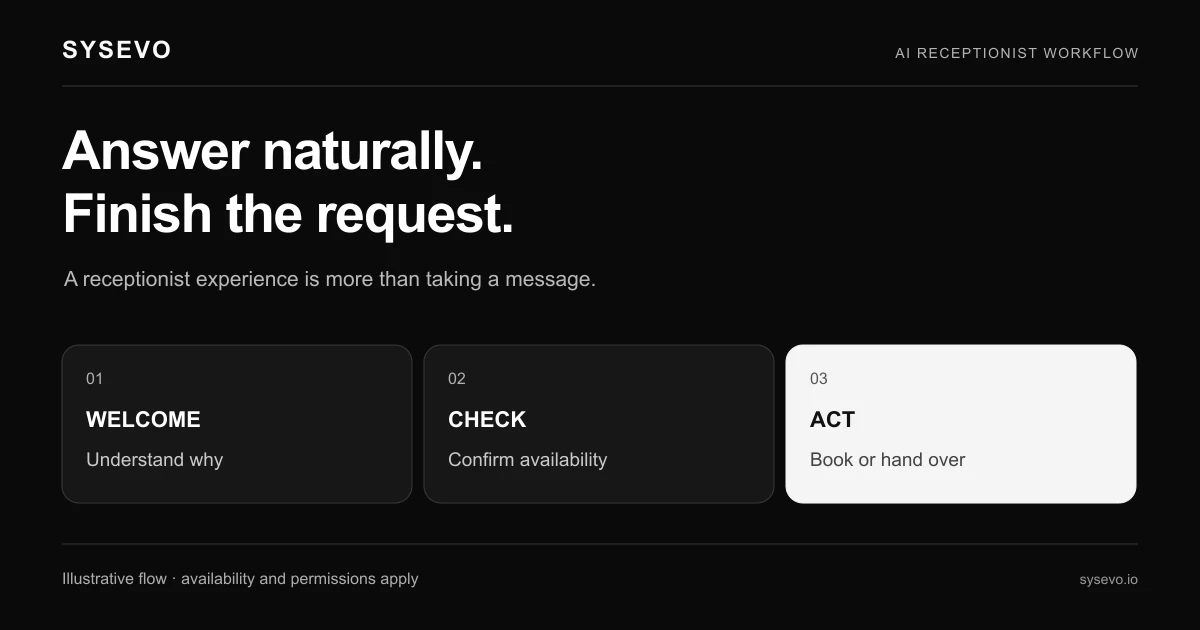
Operators evaluating AI receptionists want to know what actually happens when you deploy one. Not the marketing pitch, but the real experience: whether calls get answered correctly, how the CRM integration performs under load, what happens when a caller asks something unexpected, and whether the cost saves time or creates more work. This overview collects what users across different business sizes and sectors actually report about AI receptionist performance, integration, limitations, and the trade-offs that matter most.
What Users Report About Call Handling and First Contact
The primary job of an AI receptionist is to answer the phone and capture intent. Users consistently report that call pickup speed works as advertised: a voice agent typically answers between the first and second ring, which eliminates the silent-call experience of a missed system handoff. The captured information (caller name, phone number, reason for contact, and any specific details volunteered) reaches the CRM instantly. Businesses using built-in CRM integration report that their staff spend 60 to 90 seconds less per follow-up call because the context is already there.
Where users encounter friction is with uncommon or multi-part requests. An AI receptionist trained to book appointments or log support tickets handles straightforward cases well, but a caller who says, "I need to reschedule my appointment, but also add a second product to my account, and I have a billing question," often triggers a transfer or a confused response. Users report that 75 to 85 percent of inbound calls resolve without human intervention when the business has defined clear call types. The remaining 15 to 25 percent escalate, and quality depends on how well the AI agent hands off context and whether the business has a live team standing by. A medical practice that uses an AI receptionist to confirm appointments sees near-perfect handling. A consulting firm where every call involves custom negotiation sees lower resolution rates and more escalations.
Integration, Setup, and the Hidden Time Cost
Users frequently underestimate the effort required to connect an AI receptionist to existing systems. The agent itself arrives ready to take calls within hours. The work begins when you need it to write to your CRM, pull existing customer records, check appointment slots in your calendar, or apply custom business rules. Operators who expected plug-and-play deployments report spending 20 to 40 hours during the first month on configuration, testing, and refinement. This includes defining call routing logic, training the model on your specific terminology and industry jargon, and testing edge cases before going live to customer-facing calls.
Integration ease varies by CRM and phone system. Businesses using common platforms like Salesforce, HubSpot, or standard phone lines report faster connections than those on custom or older systems. A dental practice switching from a traditional phone system to an AI receptionist spent roughly 15 hours on integration. A construction company with a legacy project management system spent 35 hours and still required manual adjustments. Users recommend treating the first month as a configuration and tuning period, not an immediate productivity gain. The voice AI starts working immediately, but optimising it to your specific workflow takes hands-on time from someone internal or from your vendor's support team.
AI Receptionist Reviews: Costs, Staffing Impact, and ROI Reality
Pricing varies widely, but users typically report costs in the range of £200 to £600 per month for a mid-market deployment, including inbound call capacity, CRM integration, and basic outbound features. This is significantly lower than hiring a part-time receptionist at £12 to £16 per hour (roughly £900 to £1,200 monthly for 30 hours), but it is not zero. A business that expected an AI receptionist to eliminate a full headcount usually finds that staffing does shift rather than disappear: the receptionist moves to follow-up, qualification, or customer success work rather than answering phones. A 10-person team might reduce inbound call handling staff from 2 to 1.2 full-time equivalents, freeing one person for higher-value work.
ROI breakeven typically occurs at 6 to 9 months for businesses handling more than 100 inbound calls per week. Organisations with lower call volumes see slower payback but still benefit from eliminated missed calls and faster scheduling. Users who achieve the fastest ROI are those who defined a specific problem beforehand, "we miss 15 percent of calls because staff are on other calls" or "appointment booking takes 8 minutes of staff time per call." Those who buy expecting AI receptionists to solve vague problems like "we need to be more efficient" rarely see measurable returns. Honest user feedback emphasises that this tool amplifies existing operational discipline; it does not create it where it does not exist.
Where AI Receptionists Struggle: Honest Limits and Trade-offs
Users report that AI receptionists do not handle certain scenarios well. Calls requiring empathy around sensitive topics, like cancellations due to health concerns or disputes over billing, often sound robotic when handled by AI and leave callers frustrated. The technology works better for transactional interactions than for relationship management. A property management company found that tenant complaints needed a human voice; a scheduling clinic for repeat patients found AI worked fine. Callers with thick regional accents or non-native English sometimes confuse the system, leading to repeated clarifications and eventual transfers. Businesses in industries with complex compliance requirements, like legal services or regulated financial advice, cannot rely on an AI receptionist to handle calls alone because call recording, data handling, and advice must meet specific standards.
Network and voice quality matters more than marketing suggests. A business with poor internet or frequent power outages experiences dropped calls and delays. Users in areas with unreliable broadband report frustration that a traditional phone system did not cause. The technology also requires ongoing maintenance: if your business process changes, call routing logic must be updated, sometimes requiring vendor involvement. An AI receptionist trained for your current product line will not handle a new service or product launch without retraining. Finally, users note that the technology is most effective when human staff are available to handle escalations. A business where everyone is booked solid and calls queue for an hour before reaching a human defeats the purpose of fast AI triage; the caller is still waiting, just in a different queue.
AI Receptionist Reviews by Industry and Use Case
Feedback patterns differ by sector. Medical and dental practices report the highest satisfaction because appointment booking is straightforward and high-volume. A 50-patient-per-day practice saves 2 to 3 hours of staff time daily and virtually eliminates missed appointments. Legal firms report moderate satisfaction; the AI handles intake and scheduling but requires human staff to qualify cases and discuss fees. Service businesses like HVAC contractors or plumbers see good results for job quoting and scheduling but need staff for technical problem diagnosis. Retail and hospitality report lower satisfaction because call intent is harder to predict and many calls require inventory checks or real-time availability information.
Small businesses under 10 staff report higher satisfaction per dollar spent because the technology replaces proportionally more manual work. A 3-person consulting firm with 40 inbound calls weekly sees an AI receptionist as transformative. A 500-person corporation with a dedicated call centre sees it as one tool in a larger system. Users deploying outbound campaigns alongside inbound receptionists report synergy: the system captures inbound intent, and campaigns follow up with relevant offers, creating a feedback loop. Those using only inbound see benefit but less compounding value. The best results come from businesses that treat the AI receptionist as one part of a broader automation strategy, not a standalone product.
Frequently Asked Questions
Do AI receptionists actually reduce missed calls?
Yes, if your current problem is calls going to voicemail because staff are occupied. An AI agent answers immediately and captures the message. If your problem is a poor phone system or inadequate line capacity, an AI receptionist cannot fix it. If callers hang up before routing, an AI agent might improve completion rates slightly by triage, but it cannot force someone to stay on the line.
How long until we see a return on investment?
Businesses handling more than 100 inbound calls weekly typically break even within 6 to 9 months. Those with fewer calls see slower payback or use the tool for non-financial reasons, like improving caller experience or freeing staff for different work. ROI depends on your current staff costs and how much call handling time the AI actually displaces.
Can an AI receptionist handle calls in multiple languages?
Most systems support multiple languages, but performance is strongest in English. Non-English callers may experience slower response times, more repetitions, and higher transfer rates. If your market is genuinely multilingual, confirm language support during evaluation and test with actual call samples from your customer base.
What happens when the AI does not understand a caller?
The system usually asks for clarification one or two times, then escalates to a human or offers voicemail. Some systems loop back to the same question; better ones detect confusion and switch tactics. Setup should include defining a clear escalation path so callers do not experience endless repetition or dead silence.
Is my data safe with an AI receptionist platform?
Data security depends on the vendor, not the technology itself. Check their encryption standard, data residency, compliance certifications for your industry, and backup procedures. If you handle regulated data like health or financial information, ensure the vendor meets your compliance requirements before deployment.
Can we use an AI receptionist if we already have a phone system?
Yes. The AI integrates with most modern phone systems and PBX setups. Older or heavily customised systems sometimes require additional configuration or workarounds. Your vendor should assess compatibility during the evaluation stage, not after you sign.
What if we need to change our business process after deployment?
Changes to call routing, appointment types, or qualifying questions usually require configuration updates, sometimes by your internal team and sometimes by the vendor. Simple changes take hours; complex ones take days or weeks. Budget for ongoing tuning, especially during your first six months.
When you are ready to evaluate whether an AI receptionist fits your operation, speak directly with businesses in your sector. Read reviews that mention specific pain points you recognise, not generic benefits everyone claims. Then book a call to see how the technology handles your actual call types and workflows.