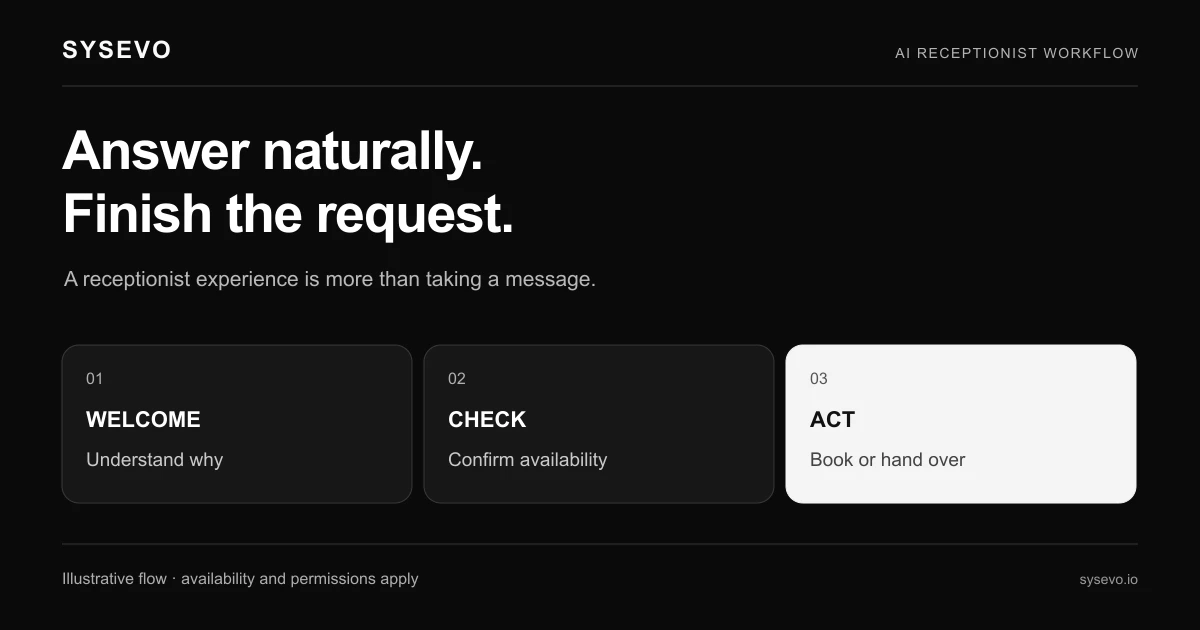
If you are looking at an AI receptionist from Macro.com or any vendor in this category, you need to understand what the technology actually does before you can evaluate whether it fits your practice. This is an independent buyer's guide from Sysevo. Sysevo is not affiliated with Macro.com. Current details should be confirmed with the vendor directly. An AI receptionist answers your phone, qualifies the caller in real time, books or routes them, and leaves your team a written summary rather than a voicemail. Each of those steps involves specific mechanics that can work well or fail badly. This article walks through what separates a working deployment from one that burns your credibility.
How an AI Receptionist Answers the Call
The first mechanical difference between a human receptionist and an AI one is latency. When a call arrives, an AI system must identify the call, load the caller's context (if they have called before), and generate its opening greeting in real time. Faster systems pick up on the second ring. Slower ones ring four or five times before a voice responds, which feels abandoned to the caller and defeats the purpose of having an answering system at all. The threshold that matters is under two seconds from ring to greeting. Above that, you are training callers to hang up and try email instead.
The greeting itself matters more than most vendors admit. A caller can tell in the first three words whether they are speaking to a human or a system. The AI must use natural prosody (not robotic rhythm), natural pace (not too fast, which sounds aggressive; not too slow, which sounds uncertain), and must have the ability to handle interruptions and overlapping speech. A caller who says "yes" while the greeting is still playing should not trigger a full restart. The system should recognise the response and move on. If it does not, the caller has already decided they are in a scripted loop and will ask for a human, which defeats the entire cost case.
Qualifying the Caller Without Losing Them
Once the greeting is done, the AI must ask questions that extract the caller's reason for calling, their urgency, and whether they are a prospect or an existing customer. This is where most deployments struggle. A human receptionist can read tone, hesitation, and context. They know that a caller who sounds rushed needs a different approach than one who is chatty. An AI system that follows a rigid script (question one, wait for answer, question two, wait for answer) sounds robotic and causes the caller to cut it short or hang up entirely.
The better approach is dynamic qualification, where the AI listens to what the caller volunteers and steers the conversation around what they have already said. If a caller opens with "I need to schedule an appointment for my root canal," the AI should not then ask, "Are you a new or existing patient?" It should have heard "root canal" and "schedule an appointment" and already know it is booking-eligible. It should extract the relevant detail (urgency, tooth number, preferred dates) and confirm the booking without asking three more questions. Each unnecessary question increases the chance the caller hangs up and calls a competitor instead.
The system must also handle edge cases: callers who are confused, angry, in pain, or not sure why they called. A well-designed AI can detect urgency markers in speech (raised pitch, fast talking, words like "emergency" or "now") and escalate or prioritise appropriately. One that cannot will treat a patient in acute pain the same way it treats someone calling to confirm an appointment, which is a reputational failure waiting to happen.
Booking the Appointment or Routing the Call
Once the AI has qualified the caller, it must either book them directly into your calendar or route them to the right person. Direct booking works when the appointment type is straightforward (a 30-minute hygiene visit, a standard consultation) and your calendar is integrated with the AI system. The AI checks available slots, confirms the date and time with the caller, and writes the booking to your system automatically. If that integration is missing or unreliable, the entire advantage collapses. The caller thinks they have booked, your team sees nothing, and the appointment never happens.
For calls that cannot be booked automatically, routing matters. The AI must decide: Does this call go to the front desk? To a specific clinician? To voicemail with a callback promise? The decision rules should be clear and based on what the AI learned during qualification. A practice management role should have written routing logic before the AI goes live, not discovered it through mistakes on live calls. Some calls will need human judgment (a patient with a complex complaint, a referral enquiry, a complaint) and the AI should route those immediately. Others (appointment reminders, generic questions about hours) can be handled end-to-end by the AI itself.
The hand-off to a human, if it happens, must be warm. The AI should summarise what it has learned so the human does not start from zero. "This is Sarah, she called about a crown replacement, she prefers morning slots, and she mentioned sensitivity to temperature. I'll transfer you now." That summary is worth the human's full attention and removes the need for them to repeat questions.
Creating a Record the Team Can Act On
After the call ends, the AI must write a record that your team can actually use. This is where the built-in integration with a CRM matters. A generic voicemail transcript is not enough. Your team needs the caller's name, contact number, stated reason, any dates or times they mentioned, urgency level, and what the AI committed to. A well-designed system like Sysevo's built-in CRM captures all of this in structured fields, so your team can sort, filter, and act on calls by priority. A missed call with no record is lost business. A missed call with a good record is a callback opportunity.
The record should also flag what the AI did not know: a caller with no history in your system, a caller asking about something outside your service list, a caller who became frustrated. These flags help your team context-switch faster. They also create audit trails that let you improve the AI's performance over time. If the AI is routing too many callbacks to your reception team, you can see it. If callers are hanging up during a particular question, you can hear it. Without that data, you have no way to tune the system or know whether it is working.
Evaluating an AI Receptionist: What to Check First
Start with the vendor's own public documentation. Check their pricing page, their feature sheet, and their integration list. These tell you what they officially support and commit to. Many vendors publish their response time, their supported calendar systems, and their accuracy rates on their own sites. Write these down. They are the baseline claims you can hold them to during a trial.
Next, look at their security and compliance pages. An AI receptionist handles calls with patient information, payment details, and healthcare history. You need to know how they encrypt data in transit and at rest, where they store recordings, who has access, and what their data retention policy is. Ask for their SOC 2 or ISO 27001 certification, their HIPAA attestation if you are healthcare, or their GDPR Data Processing Agreement if you handle EU data. Do not skip this step because it feels administrative. A breach that exposes patient calls will cost more than all the labour savings combined.
For integration specifics, ask the vendor directly: Which calendar systems does it connect to? Does it require API keys, webhooks, or manual setup? If it integrates with your practice management software, has that integration been tested by the vendor or are they relying on a third-party tool like Zapier? Each layer of abstraction adds latency and failure points. A direct integration is faster and more reliable than one that goes through a middle layer.
Running a Trial: What to Measure
When you trial an AI receptionist, do not just listen to a few calls and decide based on gut feel. Set up measurements. For example, if your practice takes 50 calls a week and currently misses 12 of them (24%), run the AI for four weeks and measure how many it answers and how many go to voicemail. If it answers 90% of those 12 missed calls, that is 10 to 11 additional calls handled per week. If each call has a 50% chance of converting to a booked appointment, that is five to six extra bookings per week. At an average appointment value of £120, that is £600 to £720 per week in additional revenue, or £31,000 to £37,000 per year. Compare that to the cost of the AI service. If the service costs £500 per month, you are looking at a payback period of less than two months.
That worked example assumes you can measure those numbers yourself during a trial. Most vendors will let you run for 30 days at no cost or low cost. Use that time to log every call outcome: answered by AI, routed to a human, went to voicemail, caller booked, caller rescheduled, caller complained. At the end of the trial, you will know whether the specific AI actually improves your call handling or just redistributes the problem (answers more calls but loses more to routing errors, for instance).
Ask the vendor whether your trial data will be saved or deleted after the trial ends. Some vendors delete everything, which means you start from zero when you go live. Others let you keep the data and use it to train the AI further. The second approach is better because your AI will have context on your callers from day one, rather than learning on live calls.
When an AI Receptionist Is Not the Right Choice
An AI receptionist does not make sense if your practice has very few incoming calls. If you receive fewer than ten calls per day, you do not have enough volume for the cost of an AI system to pay for itself. A human receptionist or an answering service is more cost-effective. Similarly, if most of your calls are inbound from a single source (a referral partner, a scheduling system, a lab) and do not require real-time human judgment, you may not need an AI receptionist at all. You need call routing or forwarding.
An AI receptionist can also struggle with practices that have very high complexity. If your business model requires the receptionist to handle complex insurance verification, multi-party conference calls, or specialist triage, the AI may spend more time asking for clarification than a human would. Some of these limitations will improve as the technology matures, but they exist today. A dental practice with straightforward appointment booking is an ideal use case. A complex referral coordination centre with intake workflows is not ready yet.
Cost is also a factor. AI receptionists are typically priced per month, per call, or per hour of availability. Confirm the full cost before committing. Some vendors charge per thousand minutes, others per inbound call, others a flat fee. A practice with many short calls will be hit harder by per-call pricing. A practice with many long calls will be hit harder by per-minute pricing. Look at your own call logs (length and count) and work out which model favours you.
Questions to Ask Any Vendor in Writing
Before you sign a contract, ask these questions in writing and keep the answers as evidence:
1. What is the average response time from ring to greeting, and is it guaranteed? If not, what is the worst-case response time you have observed in production?
2. Which calendar and practice management systems do you integrate with natively, and which ones require a third-party tool like Zapier? For native integrations, who maintains them if your system updates? What is your SLA for integration outages?
3. How do you handle calls during system downtime? If your servers are down, do calls go to voicemail or to a human backup? How quickly do you notify customers of outages?
4. Can I keep my call recordings and call logs if I leave, or do you delete them? What format are they in, and how long can I access them?
5. Do you offer a trial period with real live calls, or only a demo environment? How long is the trial, and can I measure my own success metrics?
6. What happens if the AI makes a mistake, such as booking an appointment at the wrong time or double-booking a slot? Who is liable, and what is your correction process?
Any vendor that refuses to answer these questions in writing, or gives vague answers, is a risk. Good vendors publish most of this on their own sites or answer quickly during a sales call. If you want to explore how Sysevo handles these mechanics, book a call with our team and ask the same questions.
Frequently Asked Questions
Will an AI receptionist sound obviously robotic to my callers?
Modern AI voices sound natural and can pass for human in short conversations. However, most callers can detect an AI if they listen carefully. The key is whether they mind. If your AI answers quickly, asks sensible questions, and solves their problem, many callers will not care whether it is human or machine. If it sounds stilted or asks stupid questions, they will hang up immediately. The quality of the AI's voice model and logic matters more than passing a Turing test.
How does an AI receptionist handle angry or upset callers?
A well-designed AI can detect emotional markers in a caller's tone and speech. If a caller sounds angry or distressed, it can offer empathy ("I understand this is frustrating"), escalate to a human faster, or provide a clear next step. A poor AI ignores the emotional context and plows through its script, which makes the caller angrier. This is why listening to real call recordings during a trial is important, not just reading feature lists.
What if my AI receptionist books an appointment and then my team forgets to honour it?
The AI is only responsible for capturing and booking the call. Your team is responsible for following through. Use your calendar system's built-in reminders and your practice management software's workflows to make sure booked appointments are confirmed and kept. The AI does not replace your internal processes, it supplements them.
Can I test an AI receptionist on a few calls before committing to a full month?
Most vendors offer a trial period, often 14 to 30 days. Some will let you run a test with a limited number of calls or a shadow mode where the AI listens but does not pick up. Ask directly whether you can trial with real live calls, not just a demo. A demo environment does not show you how the AI will perform on your actual call volume and complexity.
Will an AI receptionist integrate with my existing phone system and software?
Integration depends on what phone system and software you use. Many AI receptionists integrate with popular systems like Zendesk, HubSpot, or practice management software via APIs or webhooks. Some require a third-party integration tool like Zapier. Check the vendor's integration list and ask them specifically about your stack before you commit. If they do not support your system, the integration cost might be prohibitive.
How much does an AI receptionist cost compared to hiring a human receptionist?
AI receptionists typically cost between £300 and £1,500 per month depending on call volume, features, and vendor. A human receptionist in the UK costs £18,000 to £28,000 per year in salary, plus benefits, training, and holiday cover. An AI receptionist is cheaper, but it is not a direct replacement. It handles calls, books appointments, and creates records. It does not greet walk-in patients, manage the waiting room, or handle complex problems that require human judgment. Most practices use AI receptionists to supplement their team, not replace it entirely.
Independent buyer's guide published by Sysevo. Sysevo is not affiliated with, endorsed by, or partnered with Macro.com, and Macro.com is the trademark of its owner. Product details change often, so confirm anything that matters to your decision with the vendor directly before you buy.