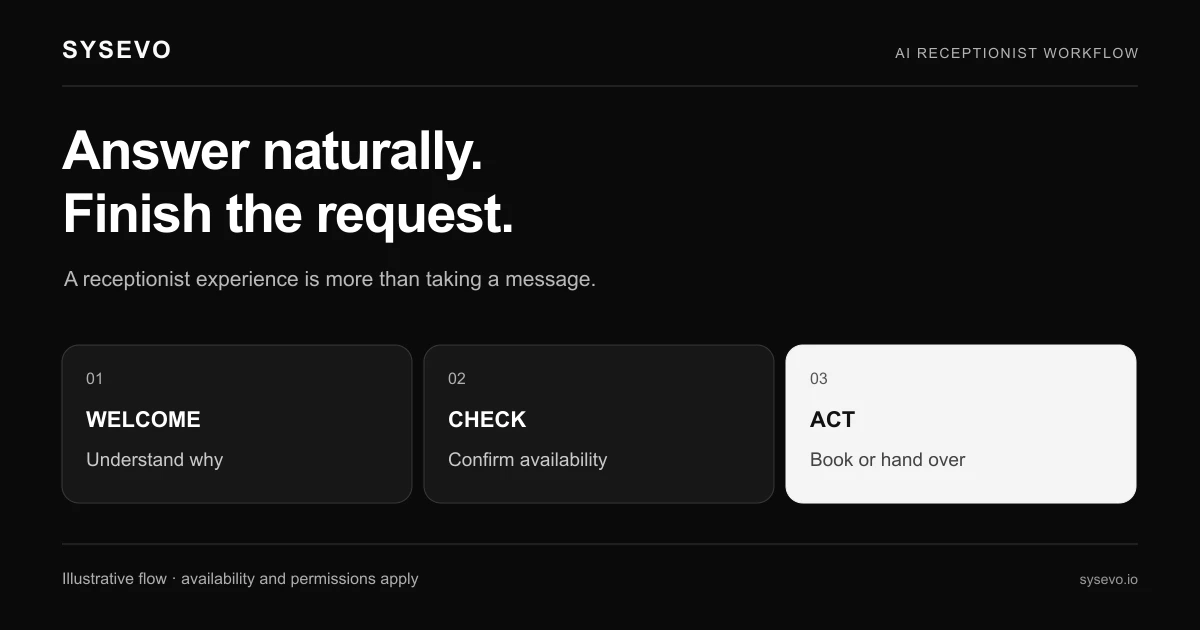
An AI phone answering service is software that accepts incoming calls, listens to what the caller needs, and decides what happens next, all without human intervention. It picks up on the first or second ring, captures the caller's intent in real time, logs the interaction to your database, and either schedules a callback, transfers to a team member, or resolves the issue on the spot. The technology runs on large language models trained to understand natural speech, combined with business logic that routes calls based on what was said.
Unlike a traditional IVR system that forces callers through menu trees ("Press 1 for sales, press 2 for support"), an AI phone answering service listens naturally. A caller can say "I need to reschedule my appointment on Tuesday" and the system understands, extracts the date and reason, and writes it to your calendar and CRM without the caller pressing anything. This matters because research from contact center benchmarks shows that call abandonment rates jump above 25% when callers face more than three menu steps.
The Core Mechanics of Call Answering
When a call arrives, the system answers within two seconds. The AI listens to the first few spoken words to identify what the caller is trying to do. This process, called intent recognition, happens in parallel with speech-to-text transcription. The system doesn't wait for the caller to finish; it begins pattern-matching against known intents while still recording audio.
Each intent has business rules attached. If the caller says they want to book an appointment, the system asks clarifying questions: "What time works for you?" "Which service?" "What's your name?" It synthesises responses in a natural voice that doesn't sound robotic. The key difference from older voice systems is that it handles interruptions, pauses, and conversational backtracking. If a caller says "Actually, Thursday instead of Wednesday," the system corrects its understanding without restarting the process.
Once the intent is confirmed, the system's action depends on your configuration. It might write a calendar booking directly to Google Calendar or Outlook. It might create a lead record in your CRM with all conversation details. It might email you a transcript. Or it might transfer the caller to a human team member with a handoff note that already says who they are and what they need. Small medical practices report saving 12 to 15 minutes per call in administrative time by eliminating the phone-to-paper-to-CRM workflow.
The system also monitors call quality in real time. If connection drops, it logs the interruption and flags the call for manual follow-up. If the AI determines the request is outside its scope, it stops attempting resolution and transfers to a human, often after offering to send information via email or SMS while they wait.
How Natural Language Processing Powers Call Understanding
At the foundation is a large language model, similar to the technology in ChatGPT, but fine-tuned for telephone conversation. This model must understand regional accents, background noise, interrupted sentences, and industry-specific terminology. "I need to DSO" means nothing to a general AI, but in a dental office it means "I need a direct scaling and observation appointment."
The model processes speech in short windows, usually 500 to 1,000 milliseconds of audio at a time. This allows the system to respond while the caller is still talking, creating the conversational feel. Latency under 1.5 seconds is critical; beyond that, callers feel they're talking to a robot and often start over or hang up. The best implementations achieve 800 to 1,200 milliseconds round-trip latency by running models in regional data centres rather than relying on a single cloud endpoint.
Confidence scoring is built in. If the system understands only 60% sure what someone said, it asks for clarification rather than guessing. "I didn't quite catch that. Did you say Tuesday or Thursday?" This transparency reduces frustration. Systems that pretend to understand but act on wrong assumptions create worse outcomes than those that admit uncertainty.
Context matters. If a caller says "I called last week about this," the system checks your call history, customer database, or CRM notes if it's connected. AI systems with built-in CRM integration can pull previous interactions instantly and reference them during the call. A lawn care company using this approach can tell a returning customer "I see you last had us out on August 15th for the fall cleanup. What can we help with today?" That context prevents the caller from having to repeat themselves.
AI Phone Answering Service Integration with Your Business Tools
The real power emerges when the system connects to your existing software. An AI phone answering service that works in isolation is useful; one that reads from and writes to your business systems is transformative. Most platforms integrate via API to calendar systems, CRM software, booking platforms, and help desk systems.
When a caller books an appointment, the system can check availability in real time, reserve the slot, and send confirmation via SMS or email without any human touching the request. When a caller reports a problem, the system creates a ticket in your help desk, assigns it based on your routing rules, and notifies the relevant team. For outbound scenarios, AI call campaigns can use the same engine to call customers, deliver messages, and capture responses, feeding results back into your database for segmentation and follow-up.
Integration depth varies. Basic integrations pull one-way data: the system reads your calendar to check availability but doesn't write anything. Advanced integrations are two-way: the system reads customer history to provide context, writes new interactions, and updates fields in real time. The deepest systems have caller memory, meaning the system learns what matters to each customer over time and personalises responses accordingly.
Setup complexity depends on your stack. If you use standard platforms like Calendly, HubSpot, or Zendesk, integration often takes hours. Custom or legacy systems can take weeks. The better vendors offer white-label platforms and custom solution design for complex setups, but that adds cost. Most small to mid-market businesses expect integration to take one to four weeks depending on how many systems need to talk to each other.
How Call Routing and Escalation Decisions Happen
Not every call can be resolved by AI. The system must decide when to escalate to a human. This decision happens in milliseconds based on rules you set. Common escalation triggers include complexity ("This doesn't match any known intent"), confidence level ("I'm only 45% sure what they're asking"), emotional tone ("The caller sounds frustrated or angry"), or explicit request ("The caller asked to speak to a manager").
When escalation occurs, the system transfers the call to an available team member and provides context. The best systems send a written handoff note that appears on the agent's screen: the caller's name, account number, what they called about, what the AI already attempted, and what information is still needed. An agent receiving a warm transfer with this context resolves the issue 30% faster than one who has to listen to the whole story again.
The system can also route based on skill. If a caller asks about billing, the system transfers to someone in accounting. If they ask about a technical issue, it goes to engineering. This requires mapping intents to teams, which is setup work but pays dividends in call resolution time and customer satisfaction. Many businesses discover they can resolve 40 to 60% of inbound calls with AI alone, leaving only complex or relationship-critical conversations for humans.
Some systems offer queue management. If no agent is available, the system can offer to take a message, schedule a callback, or put the caller in a queue with an estimated wait time. This is better than a busy signal but only works if you commit to callbacks. A system that promises "we'll call you back in 2 hours" but doesn't follow through damages trust more than a busy signal would.
The Data Capture and CRM Workflow
Every call generates data. The system captures the caller's phone number, what they said, how they said it, what intent they expressed, how the AI responded, and what outcome occurred. This data flows into your CRM as a lead, contact note, or interaction record depending on your configuration. The value isn't just having the data; it's having it automatically structured and actionable.
A typical workflow: a potential customer calls your insurance company asking about home coverage. The AI captures their name, location, home type, and current coverage status, then asks "Are you looking to switch providers or add additional coverage?" Based on the response, it creates a lead in your CRM with a specific classification. Sales gets notified. If the caller provided their email, they receive a follow-up with quotes. Nothing was typed manually. The entire interaction took 90 seconds.
Transcription quality matters. Poor transcription creates garbage data in your CRM. Top-tier systems achieve 95% plus accuracy on clear audio. Background noise, heavy accents, or technical jargon reduce accuracy. Most platforms offer human review for flagged low-confidence transcripts, which adds cost but ensures data integrity. Budget 5 to 15 minutes of monthly human review per 200 calls if accuracy is critical for compliance or decision-making.
The data also informs system improvement. You review transcripts to find where the AI misunderstood, retrain it on those patterns, and redeploy. This creates a flywheel: more calls mean more training data mean better intent recognition mean higher resolution rates. The best implementations improve their performance by 10 to 20% within the first three months as the system learns your specific business language and processes.
Real-World Scenarios and What Gets Captured
A dentist's office uses an AI phone answering service to book appointments. A patient calls and says "I need a cleaning. I've got pain in my lower left molars." The system extracts three data points: appointment type (cleaning), urgency flag (pain), and symptom location. It checks the dentist's calendar, offers three available times, and the patient picks Tuesday at 2 p.m. The system writes this to Google Calendar, sends a reminder SMS 24 hours prior, and logs the call with notes that the dentist will review before the appointment. Human receptionist involvement: zero. Time from call to booked appointment: two minutes.
A solar installation company receives calls from homeowners asking about quotes. The AI qualifies leads by asking about roof type, home age, current electricity bill, and timeline. High-quality leads (homeowner interested in next 90 days, good credit profile indicators from the conversation) go to sales immediately. Low-quality leads ("just browsing") get an email with educational content and a note for follow-up in six months. The company closes 22% more deals because sales spends time only on qualified prospects, not handling all the "just curious" calls.
A managed IT services provider uses AI to triage support calls. When someone calls about a network outage, the system asks "Can you still access the internet?" and "Are multiple devices affected or just one?" These answers determine severity. Critical issues (no connectivity for multiple devices) go to the on-call engineer immediately with a context note. Minor issues (one device, intermittent) go into a ticket queue with estimated resolution time. Support tickets are resolved 40% faster because they arrive pre-categorised with relevant diagnostics already attempted.
A veterinary clinic uses AI for after-hours calls. When someone calls at 10 p.m., the system answers, listens to the emergency description, and pages the on-call vet with details. If the vet doesn't respond in 3 minutes, the system gives the caller the emergency clinic's number and confirms they have the address. The clinic reports zero missed emergencies in a year and significantly reduced the after-hours phone burden on their staff, who can now sleep without worrying about missing a critical call.
Comparing AI Phone Answering to Traditional Receptionists
A full-time human receptionist in the United States costs between 28,000 and 38,000 dollars annually in salary, plus benefits, payroll taxes, and training. They work 40 hours per week, take vacation, and can handle approximately 30 to 40 incoming calls per day, depending on call complexity and how much paperwork is involved. Their availability is 40 hours per week. An AI phone answering service costs between 300 and 1,200 dollars per month depending on call volume and features, works 24/7, and can handle 300 to 500 calls per day without fatigue.
The trade-off is nuance. A skilled receptionist can pick up on emotional subtext, recognise when a caller is distressed and needs immediate escalation, and build rapport through small talk. They also handle edge cases gracefully. If a caller says "I don't know how to describe this, but something's wrong," a human can ask exploratory questions and uncover the real issue. An AI system may ask the same clarifying questions but with less intuition about which paths to follow.
Cost comparison in a real scenario: a 20-person services company receives 300 inbound calls per month, mostly appointment booking and basic support questions. Hiring a part-time receptionist to cover peak hours costs 15,000 to 18,000 dollars per year. An AI phone answering service for that volume costs 500 to 800 dollars per month, or 6,000 to 9,600 dollars per year. The AI handles 70% of calls without human intervention. The remaining 30% still go to a staff member, but with context already captured. Net savings: 8,000 to 12,000 dollars per year plus 20 to 30 hours per week of freed human time.
The hybrid model works best for most businesses. Use AI to answer calls, capture intent, and handle routine requests. Escalate complex or high-value calls to humans. This approach delivers efficiency gains without the risk of frustrated customers unable to reach a person. Businesses that try to eliminate all human contact often see customer satisfaction drop and complaints rise. Those that pair AI with strategic human involvement report satisfaction scores 10 to 15% higher than they had with humans alone, because callers reach a person faster and that person already knows what they need.
When AI Phone Answering Falls Short
AI excels at routine, well-defined interactions. It struggles with ambiguity, nuance, and situations that require judgment. If your business receives calls that vary widely and require custom responses, AI will disappoint. A therapist's practice cannot use AI to answer calls asking about availability because the real conversation is never about the time slot; it's about what the patient is experiencing and whether they'll feel safe with this therapist. That requires human listening.
Cultural context and relationship matter in high-stakes industries. A customer calling a financial advisor to discuss inheritance planning won't accept "Let me transfer you to someone who can help." They want to feel heard immediately. An emergency room can't use AI to triage a patient's pain because tone of voice and other auditory cues matter more than words. A dispute resolution centre needs humans who can recognise when someone is calm enough to be de-escalated versus when emotions are too high.
Quality of voice synthesis is still uneven. Many AI systems produce voices that are recognisably artificial, which creates an uncanny valley effect. Callers feel deceived. A few vendors offer voices that sound nearly human, but these cost more and are limited in personality range. If your brand identity is warmth and personability, an AI voice that sounds like it's reading a script undermines that. Test the voice on real customers before committing. Don't rely on vendor demos; ask for samples of actual customer calls.
Privacy and compliance create friction in regulated industries. Healthcare, finance, and law require call recording consent, specific data handling, and audit trails. While AI systems can meet these requirements, setup is complex and costly. A small law firm implementing AI call answering must add HIPAA-compliant encryption, call logging, and access controls that a traditional receptionist doesn't require. The compliance overhead sometimes erases the cost savings. Assess your regulatory environment before assuming AI is cheaper.
Implementation Timeline and Setup Complexity
A simple deployment (answering calls, taking messages, scheduling callbacks) takes one to two weeks. You define intents, write sample utterances for each intent, test with real calls, and refine based on results. Most vendors provide templates for common scenarios like appointment booking or lead qualification, so you're not starting from scratch.
A complex deployment (multi-system integration, conditional routing, handoff workflows) takes four to eight weeks. You need to map your business processes, identify which systems the AI needs to read from and write to, test integrations thoroughly, and train staff on how to work alongside the system. A medical group integrating AI with an EMR, calendar, and billing system spent six weeks on implementation because each system had quirks and the workflows had to be perfectly sequenced.
Change management is underestimated. Your front-office staff will be skeptical. They worry about job security, about how the system will make them look if it messes up, and about whether they'll be blamed if a customer gets frustrated. The best implementations include them early. Show them how the AI handles the boring stuff so they can focus on complex or valuable conversations. Frame it as tools enhancement, not replacement. Businesses that involve staff in the rollout see adoption success and higher satisfaction with the system.
Testing before live deployment is essential. Run the system in parallel with your current process for one to two weeks. Let it answer calls, but also have a human listening. When the AI does something wrong, log it and retrain. When it works well, note what made it succeed. This parallel period surfaces edge cases that demos never show. A property management company discovered their AI couldn't handle the specific way their tenants pronounced street names in their city. A week of parallel testing caught that; live deployment would have created frustration.
Security, Privacy, and Compliance Considerations
Call recording and transcription generate sensitive data. Depending on your industry and jurisdiction, you may be required to inform callers that they're speaking to an AI and that their conversation is being recorded. Some jurisdictions require explicit consent before recording. GDPR in Europe requires data deletion on request. CCPA in California gives consumers the right to know what data is collected. Non-compliance can result in fines and loss of customer trust.
Choose a vendor whose infrastructure meets your requirements. If you handle PCI-DSS payment data, the system must be certified for that. If you handle HIPAA health information, it must have business associate agreements in place. If you operate in Europe, GDPR compliance is non-negotiable. Vendors with data centres in multiple regions can often help with this, but it adds cost. Clarify data residency: where are your call recordings stored? Who can access them? How long are they retained?
Vendor stability matters. If your AI phone answering service provider goes out of business, what happens to your data? Can you export call histories? Who owns the trained models? Read the service agreement carefully. The best vendors have disaster recovery plans, published uptime guarantees (usually 99.5% to 99.9%), and transparent incident response. Ask for references from customers who have scaled the system or migrated from another vendor.
Test your incident response plan. If the system crashes during a critical business period, what happens? Calls should fail over to a backup number or to a human queue. Some vendors offer this automatically; others require configuration. A medical practice learned this the hard way when their AI went offline for 30 minutes during peak appointment booking time. They had no fallback and missed 12 calls. Now they maintain a dedicated phone line staffed by a human during the system's scheduled maintenance window.
Measuring Success and Optimization
Define metrics before deployment. Track call answer rate (percentage of calls answered within two rings), first-contact resolution (how many calls were fully resolved without escalation), average handle time (how long from call start to resolution), and customer satisfaction (measure via post-call survey or email). These tell you whether the system is delivering on its purpose.
Answer rate of 95% plus is typical for AI systems. First-contact resolution varies wildly, from 20% in complex industries to 80% in simple ones. A telehealth booking system might resolve 85% of calls. A technical support line might resolve only 30% but still deliver value by pre-filtering and routing. Don't assume high resolution rate is required; sometimes the win is faster triage and better escalations, not eliminating escalation entirely.
Monitor escalation reasons. If the system escalates calls because it doesn't understand the intent, retrain it on those intents. If it escalates because the request is genuinely complex, consider if that's the right decision point. Some systems over-escalate (sending too many calls to humans) out of caution, which defeats the purpose. Others under-escalate and attempt to resolve issues they shouldn't, creating customer frustration. Adjust the confidence threshold and escalation rules based on your performance data.
Customer satisfaction is the hardest metric to measure accurately. A single bad experience with an AI can overshadow ten good ones. Conduct post-call surveys on a sample of calls, not all of them, to avoid survey fatigue. Ask simple questions: "Was your issue resolved?" "How likely are you to call us again?" "What could we improve?" Separately track customer complaints and returns attributable to poor phone interactions. If satisfaction drops after AI deployment, dig into the cause. It may be system misunderstanding, voice quality, or escalation delays.
Pricing Models and Cost Variability
Most AI phone answering services charge per call, per minute, or flat-rate tiers. Per-call pricing ranges from 0.50 to 2 dollars per call depending on complexity. Per-minute pricing ranges from 0.02 to 0.08 dollars per minute. Flat-rate tiers typically range from 300 dollars per month for up to 100 calls to 1,500 dollars per month for 1,000 calls.
Volume discounts are common. Your first 100 calls per month might cost 500 dollars. At 500 calls per month, the cost drops to 800 dollars. At 2,000 calls per month, it drops to 2,000 dollars. The best pricing models are transparent about what's included. Does the price cover integrations? Transcription? Custom voice training? Or are those add-ons? A vendor that quotes 400 dollars per month but charges 200 extra for calendar integration and 150 for custom voice training is really selling you a 750-dollar product.
Setup fees range from zero to 5,000 dollars depending on complexity. Simple deployments often waive setup. Complex integrations with multiple systems may carry fees of 2,000 to 5,000 dollars. Some vendors bundle setup into longer contracts; if you commit to 12 months, they waive setup. Others negotiate based on volume. For a business receiving 500 calls per month, setup costs amortize quickly. For a business with 50 calls per month, setup costs sting.
Compare total cost of ownership. An AI system at 800 dollars per month plus a part-time human at 600 dollars per month costs 16,800 dollars per year and handles 400 to 500 calls monthly. A human receptionist at 2,500 dollars per month handles the same volume. The AI hybrid model costs less and provides 24/7 coverage. But if your call volume is low, a single part-time human remains cheaper. Calculate your actual volume and complexity, then compare vendors on the full picture, not just per-call price.
Popular Platforms and Feature Comparison
The market includes vendors ranging from full-featured platforms to specialist point solutions. Platforms like voice AI providers offer end-to-end solutions with call answering, CRM integration, and outbound calling. Specialists like Otter or Rev focus on transcription and analysis. Voicemail-to-text providers like Google Voice and Voicemail services offer basic transcription. Larger contact centre platforms like Five9 or NICE offer AI as a feature within broader suites.
Choose based on your specific needs. If you need only call answering with basic message-taking, a simple specialist will do. If you need answering, booking, data capture, and integration with multiple business systems, a full platform saves integration effort. If you already use a contact centre platform or CRM, check if the vendor offers integrations with those systems or if you'll face custom development costs.
Feature maturity varies. Some platforms handle complex conversational flows well. Others excel at simple, linear interactions. Some offer advanced industry-specific solutions (e.g., medical intake forms, legal consultations). Before choosing, test the system with your actual call types, not just the vendor's demo scenarios. Ask the vendor for references from similar businesses and contact them directly about real experience, not just success stories.
Switching costs matter. If you choose a system and realize it doesn't fit, migrating call history and retraining the AI elsewhere is expensive and time-consuming. Prioritize vendors offering data export, transparent pricing, and shorter contract minimums. A six-month commitment with month-to-month renewal after is better than a three-year contract when you're evaluating a new technology. Many vendors offer pilot programs for one to three months at reduced rates, which is worth exploring.
Integration with Existing Business Systems
The most valuable AI phone answering systems read from and write to your existing tools. If you use HubSpot CRM, the system should create contacts and deals automatically. If you use Calendly, it should check availability and book appointments. If you use Slack, it should post alerts when critical issues arrive. These integrations eliminate manual data entry and keep your systems in sync.
API-first architecture enables this. The best vendors publish well-documented APIs and offer pre-built connectors to common platforms. Integration typically takes days for standard platforms and weeks for legacy systems. Some vendors offer partner programmes for implementation support, which reduces timeline and risk but adds cost.
Partial integration is worth considering. You don't need all your systems connected on day one. Start with calendar and lead capture, which delivers immediate value. Add email and ticketing later once you've optimised the core workflow. Phased integration spreads cost and learning load.
Data consistency requires discipline. If the AI writes a lead to CRM but someone else updates the customer record manually, you now have two sources of truth. Define which system of record owns each field. For phone number, CRM owns it. For appointment time, calendar owns it. For last interaction note, AI owns it. Clear ownership prevents confusion and lost data. Many businesses discover this problem through painful experience; planning for it upfront saves frustration.
Training and Continuous Improvement
The system learns continuously if you feed it feedback. After each call, review what worked and what didn't. If the AI misunderstood an intent, mark that call as training data. If it handled something particularly well, note that pattern. The best systems improve 10 to 20% in the first three months as they accumulate training data specific to your business language and processes.
Many platforms offer dashboards showing performance metrics and error patterns. Use these to identify which intents are failing most often and which escalation paths are busiest. Focus training effort on the highest-impact improvements. If 30% of calls escalate because the AI doesn't understand "need a callback," retrain on callback-related phrases. If 20% escalate due to noisy audio, invest in a better quality microphone or audio filtering.
Human-in-the-loop training is essential for complex intents. For a simple "book an appointment" intent, the AI learns quickly. For nuanced intents like "I want to discuss my options," humans may need to intervene, clarify what the customer meant, and use that interaction to retrain. Allocate 3 to 5 hours per month of staff time to review flagged calls and provide feedback. This is not overhead; it's the maintenance cost of keeping the system sharp.
Seasonal patterns matter. If you receive more calls in winter than summer, or more complex calls in certain seasons, adjust your system's thresholds accordingly. A tax accountant's system might be 95% accurate on simple questions in February but only 70% accurate in April when callers ask complex tax-planning questions. Retrain between seasons to maintain consistency. Don't assume the system will automatically adapt; it requires explicit adjustment.
The Future of AI Answering Technology
The technology is advancing rapidly. Current systems handle text-based conversations well. Next-generation systems will incorporate emotion detection, accent adaptation, and multi-language fluency as standard features, not add-ons. Voice quality continues to improve; within one to two years, most consumers won't be able to distinguish AI voices from human ones in brief interactions.
Integration will deepen. Instead of separate AI call systems, the technology will become embedded in CRM platforms, calendar systems, and communication tools. Slack, HubSpot, and Microsoft Teams will include AI call handling as a standard feature rather than third-party integrations. This will lower barriers to adoption for smaller businesses.
Regulation will shape the landscape. Expect clearer rules around AI disclosure, data handling, and caller consent. Some jurisdictions may require humans to be reachable within minutes of an AI call. Others may mandate certain types of calls never be handled by AI. Plan for compliance requirements to increase, not decrease. The vendors that build compliance-first will have an advantage.
Cost will decline as competition increases and models become more efficient. Expect per-call costs to drop 30 to 50% over the next two to three years as the market matures. If cost is your only concern, waiting may be rational. If you're motivated by customer experience and operational efficiency, the time to start is now.
Getting Started with AI Phone Answering
Start with a clear definition of what you want the system to do. Don't try to handle all call types on day one. Pick one or two high-volume, well-defined intents: "book an appointment," "report a problem," "get a quote." Pilot the system on those intents for four weeks. Measure performance. Refine based on results. Only then expand to more intents.
Choose a vendor that offers a pilot period at reduced cost. Most reputable vendors will give you 30 days to test with your actual volume and use case. Use that time aggressively. Bring staff into the testing. Have them call the system. Break it intentionally. See where it fails. Then decide whether the system is right for you.
Allocate 20 to 40 hours of internal time for setup and testing, plus another 10 to 20 hours per month for ongoing optimization. This isn't a set-and-forget tool. It requires attention, especially early on. If you don't have internal capacity, factor in consulting or implementation fees with your vendor.
Track your progress against baseline metrics. Measure how many calls were answered before implementing AI. Measure customer satisfaction, resolution time, and staff workload. After three months, compare. If the system is working, you'll see improvements in at least two of those areas. If not, either the system isn't configured right or it's not the right tool for your use case. Be willing to admit both possibilities and adjust accordingly.
Why Consider Sysevo for Your AI Answering Needs
If you decide to move forward with AI phone answering, review your options carefully. Look for platforms that integrate with your existing tools, offer transparent pricing, and provide strong implementation support. Many businesses find that platforms with built-in CRM, like Sysevo, reduce the total complexity by keeping call data, customer records, and interactions in one place rather than requiring separate integrations.
The strongest implementations combine AI call answering with structured customer data and follow-up workflows. When a call ends, the customer context is already in your CRM. When the next team member picks up the conversation, nothing is lost. This continuity matters for customer experience and for your business efficiency. Schedule a call to discuss how this works for your specific use case and whether the approach makes sense for your operation.
Frequently Asked Questions
Do I need to tell callers they're speaking to an AI?
It depends on your jurisdiction and industry. Many regulators recommend disclosure early in the call. From a trust perspective, most businesses find that transparency builds stronger relationships than concealment. Callers who realise they spoke to AI without being told often feel deceived.
What happens if the AI doesn't understand what the caller wants?
The system should ask for clarification or offer to transfer to a human. The worst outcomes happen when AI pretends to understand and acts on incorrect assumptions. Well-designed systems admit confusion, which actually increases caller trust compared to silent failures.
Can AI handle calls in multiple languages?
Most platforms support two to five languages at launch, with plans for more. Quality varies by language. English, Spanish, and Mandarin are well-supported. Smaller languages are less mature. Test thoroughly if multi-language support is critical for your business.
How much training data does the system need to work well?
The system works reasonably from day one with no training data. Performance improves with 50 to 100 real calls of each intent type. To reach optimal performance, many systems need 200 to 500 calls per intent. This accumulates naturally through normal operation.
What's the typical ROI timeline?
For businesses receiving 300+ calls per month, ROI appears within three to six months as staff time savings accrue. For lower volumes, ROI may take longer. Many businesses see immediate value in customer experience improvement even before cost savings are measurable.